macOS only: open this page on your Mac to download fPost.
Free 7-day trial, no credit card
Pro Tools 2024.3+
macOS 13.5+
“fPost handles the copy‑pasting, the update chasing, the formatting and the status checks, so your crew can spend that time listening and solving real problems.”
Ceri ThomasFounder, IMMERSV · ex Dolby, Apple
How it works
Import. Recognize. Mix.
01
Import
Drop the AAF. That is the whole job.
Clips, fades, gains, automation and timecode land intact.
02
Recognize
AI-R sorts it. Your template decides.
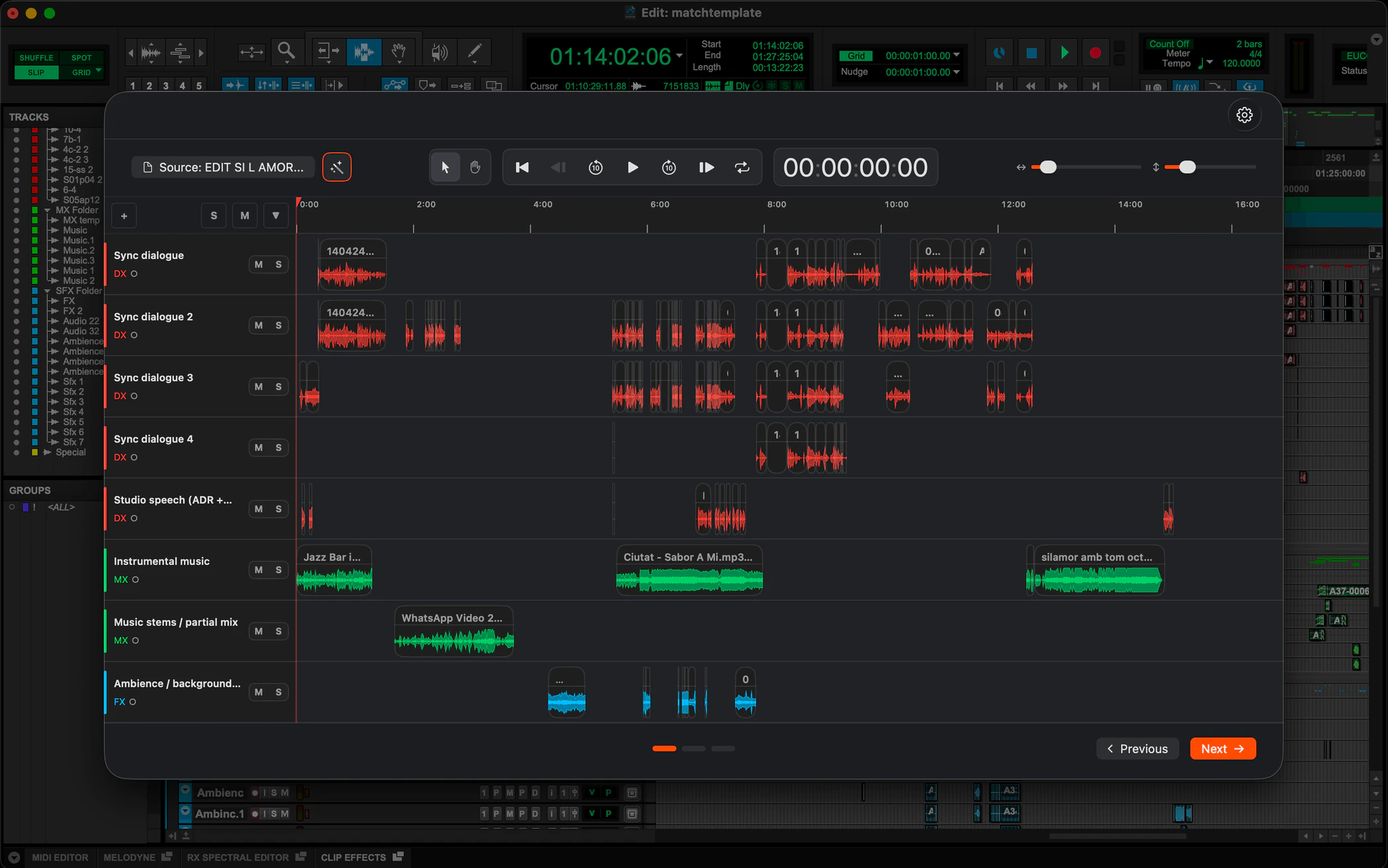
Dialogue, music and effects recognized on your Mac, matched to your template.
03
Mix
Open the session and mix.
Named and organized the way you would have done it by hand.
Thirty seconds, start to session.
One AAF, dropped in. Watch fPost classify it, match the template and build the session in Pro Tools. No cuts, no speed-up.
Have a question about fPost? These are the ones we hear most.
Yes. fPost automates Pro Tools session prep end to end: its on-device AI-R engine detects the content of each clip, matches your own Pro Tools session template, and returns a session that is named and organized, ready to mix. It works from an AAF or an existing PTX session.
fPost supports AAF files exported from Avid Media Composer, Pro Tools, Adobe Premiere Pro and DaVinci Resolve. Final Cut Pro does not export AAF directly, so it is not supported natively, but a short guide shows how to convert a Final Cut export into an AAF for use with fPost.
Everything that Pro Tools can carry in an AAF survives: fades and crossfades, automation, clip names, and supported plugins and effects are all preserved. Track folder grouping does not come across, because the AAF format does not support it. fPost preserves what is there and never alters the original files.
No. fPost never writes to your original AAF or media. It extracts the AAF and media information temporarily into a local folder purely to analyze it, then builds a new Pro Tools session, so your handoff files stay untouched and you can re-run an import safely.
Your audio stays private on every plan: fPost processes everything on-device through the AI-R engine, so nothing is uploaded. Working fully offline, air-gapped rooms included, is part of fPost Suite and Suite Lifetime; Studio connects to the internet to verify your license. This suits facilities handling embargoed film and TV under NDA.
fPost requires Pro Tools 2024.3 or later and macOS 13.5 or later. There is a single installer that runs on both Apple Silicon and Intel Macs, so you do not need to pick a build. fPost Suite also works fully offline.
Yes. fPost has a 7-day free trial with no credit card. It starts at your first in-product sign-in and expires on its own with no auto-charge; add a card later only to buy. Before importing, the free AAF Checker lets you confirm an AAF will import cleanly at no cost.
 Ceri ThomasFounder, IMMERSV · ex Dolby, Apple