🚀 Exciting news, fPost is coming. See the future of audio post in action.
Request demo
cross icon
Avid logo in purple — official Pro Tools maker, Forte AI integration partner for audio automation
Official Avid Technology Partner
FOR PRODUCERS, ENGINEERS AND STUDIOS

Mix prep and stem bounce automation for macOS

Pro Tools logo
Logic Pro logo
Maximize your workflow on Pro Tools and Logic Pro. Turn hours of tedious work in the studio into seconds.
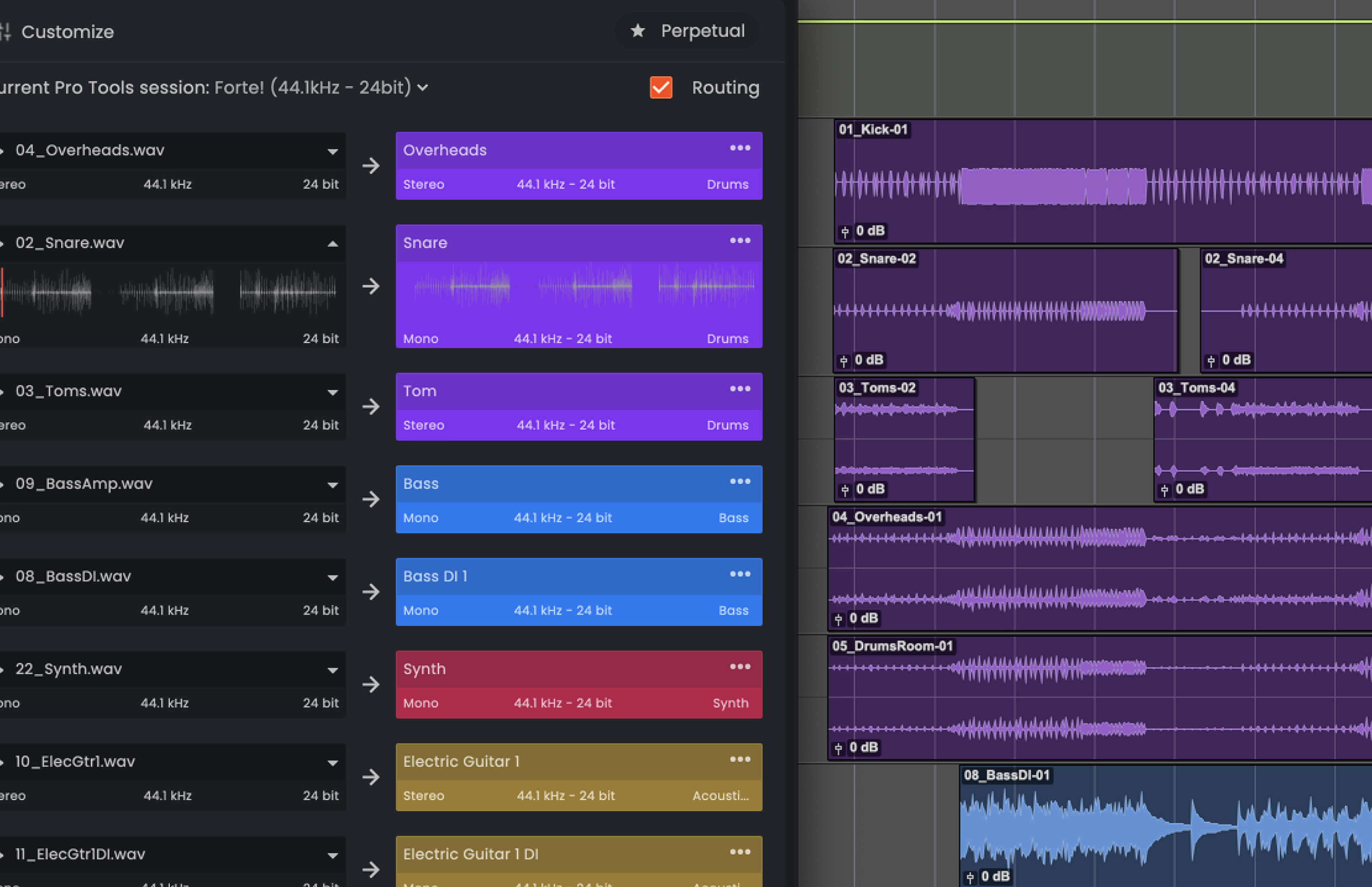
Digital audio workstation interface showing tracks named Overheads, Snare, Tom, Bass, Synth, and Electric Guitar with waveform visuals and audio settings.
Prep your mix in seconds
From just a folder of files to a mix-ready session in seconds.
Vector image in the Forte for music product page feature list. It depicts Forte's ability to automatically route tracks to aux busses based on the user templates.
Auto routing
Color palette featuring five horizontal bars in coral, dark gray, blue, teal, and bright pink.
Auto color-coding
Vector image in the Forte for music product page feature list. It depicts Forte's ability to automatically convert fake stereo tracks to mono and automatically pan them in the DAW mixer.
Stereo to mono
Vector image in the Forte for music product page feature list. It depicts Forte's ability to automatically strip silence tracks based on the user preferences.
Strip silence
Black and white icon of a drum kit with two drumsticks crossed above it.
Custom instruments
Vector image in the Forte for music product page feature list. It depicts Forte's ability to automatically rename and categorize tracks.
Auto renaming
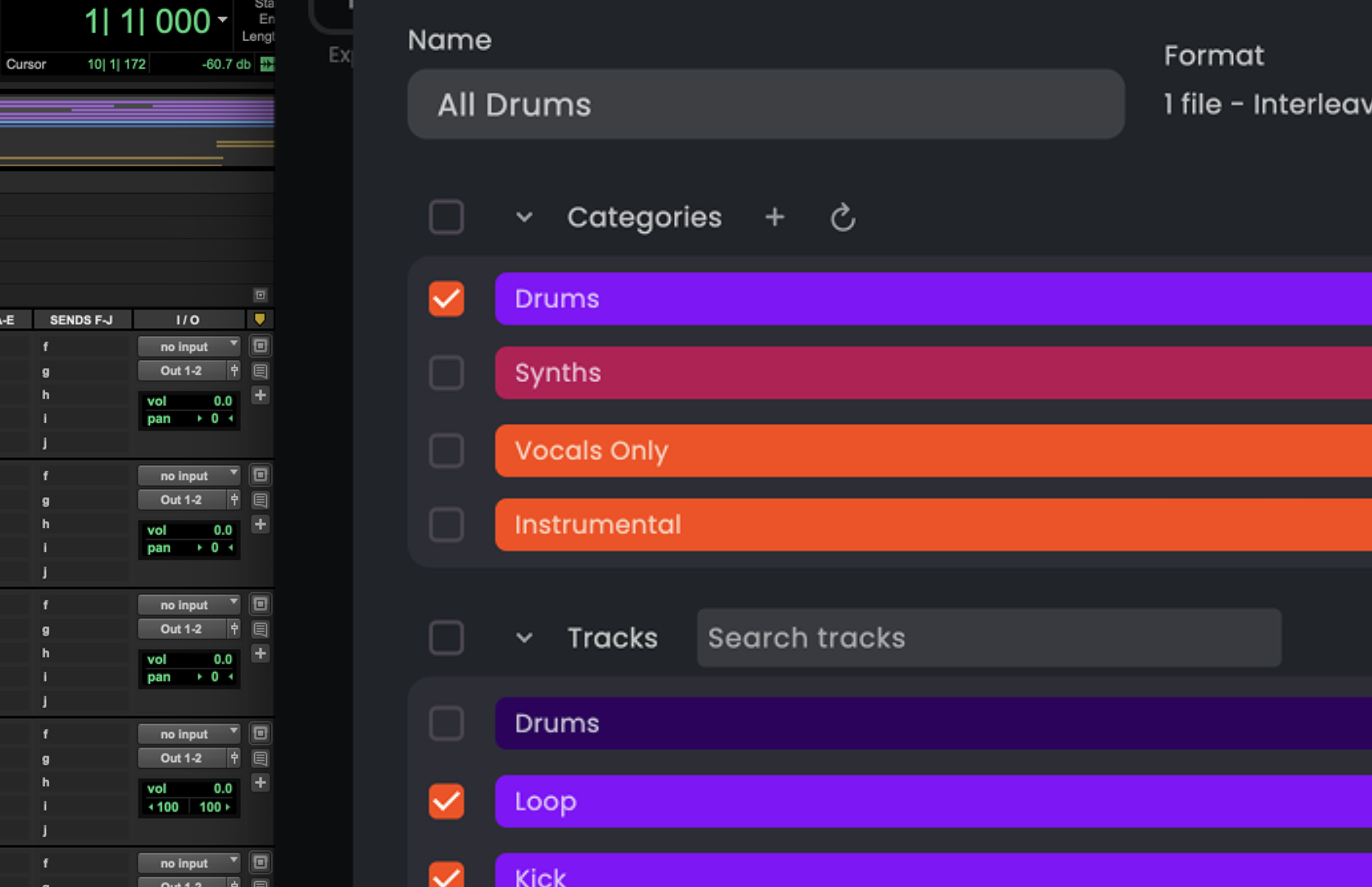
Music software interface showing categories like Drums, Synths, Vocals Only, Instrumental with checkboxes, and tracks including Drums, Loop, and Kick.
All your stems in one go
fMusic automatically tackles all your mix and stem bouncing duties across multiple sessions.
Vector image in the Forte for music product page feature list. It depicts a stylized DAW (Digital Audio Workstation) that exemplifies the ability of Forte to work with multiple programs so engineers and producers can choose wether they want to use it with Pro Tools or Logic Pro.
Multi-session flow
Vector image in the Forte for music product page feature list. It depicts Forte's ability to let the user print numerous stems across different Pro Tools sessions automatically so they can save time.
Favorite stem prints
Multi-format bounce
Black and white icon of a shopping basket with a handle.
Custom categories
Table listing wine grape varieties with their color, acidity, sugar, and tannin levels shown as different colored dots.
Mix template integration
“With the volume of sessions we run, manual prep just wasn’t sustainable. fMusic made it consistent, fast, and scalable.”
75%
Time saved for each project!
Read their story
Read their story
Core features
Vector image in the Forte for music product page feature list. It depicts a stylized DAW (Digital Audio Workstation) that exemplifies the ability of Forte to work with multiple programs so engineers and producers can choose wether they want to use it with Pro Tools or Logic Pro.
Multi-DAW compatibility
To ensure professional grade workflow, Forte for music is compatible with Pro Tools, the industry standard, and Logic Pro, with more DAWs coming in the future.
Vector image in the Forte for music product page feature list. It depicts Forte's ability to work with multiple DAW sessions.
Multi-session flow
fMusic automatically prepares your sessions for mixing or bounces your work across multiple sessions in sequence. Forte knows what you would do, and does it for you.
Vector image in the Forte for music product page feature list. It depicts the background operation of Forte when used with Pro Tools. So users can save time.
Background operation
fMusic bounces your Pro Tools mixes, stems and files completely in the background, so youcan keep using your Mac without interrupting your work.  
Blue and purple drum kit with multiple drums and cymbals on a white background.
Custom instruments
Create and manage your own custom instruments, for a totally customized setup.
Vector image in the Forte for music product page feature list. It depicts Forte's ability to work seamlessly with a sound engineer's mixing template.
Mix template integration
fMusic seamlessly integrates with the mixing template you're already using. So you don't have to change your workflow.
Easy categorization
Create and manage your own instrument categories.
fPost is compatible with Pro Tools 2024.3 on macOS 13+. Your DAW needs to be set to English.
Pros love Forte for Music
'It's so easy it's ridiculous'
'I think every mixer knows the drill, check for mono files as stereo, import them, move tracks around, color code, strip silence [...] fMusic makes this task so much quicker!'
Cameron Craig
Adele, Bjork, Amy Winehouse, U.N.K.L.E.
'I like how easy it is to see at a glance where bounces are at and that it doesn't lock down the computer while it's bouncing so you can reply to emails!'
Oli Jacobs
Kendrick Lamar, Doja Cat, Taylor Swift
'Even with complex custom-coded automation, I still struggled in the studio. With fMusic that burden is gone. Priceless.'
Ricky Damian
Mark Ronson, Lady Gaga, Jorja Smith
'fMusic has become a daily part of my Pro Tools workflow. The import and batch stem export automation is a massive time saver.'
Sean P. Jones
Julia Michaels, Timbaland, J Balvin
'fMusic has changed everything for me when it comes to mix prep. I can’t recommend it enough!'
Emre Ramazanoglu
David Bowie, Brian Eno, David Holmes
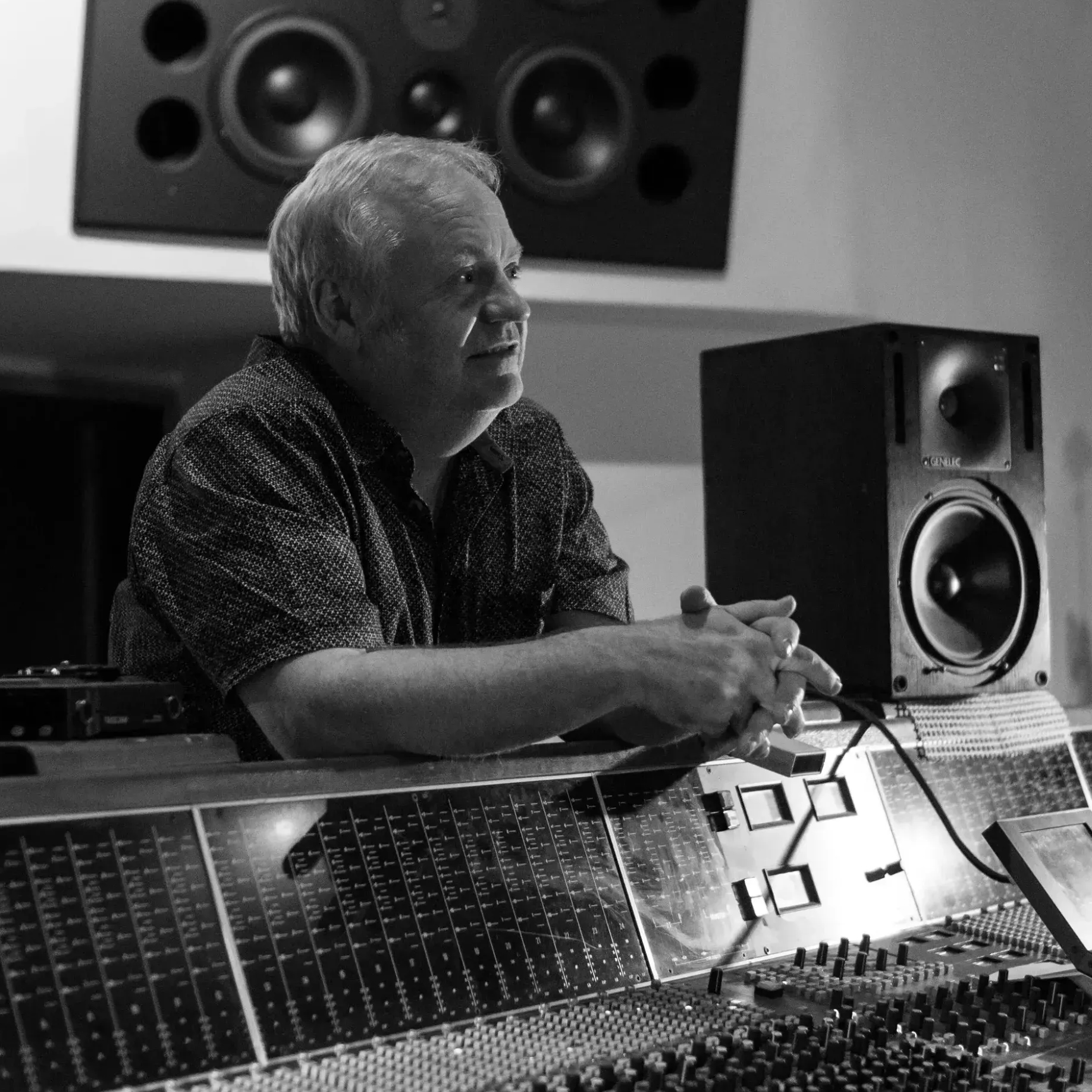
Man in glasses and plaid shirt leans over a complex audio mixing console in a recording studio.
'I've tried every solution for bouncing stems, and so much about fMusic just clicks. Exactly what I've wanted for years.'
Robbie Artress
Teddy Swims, Maren Morris, Priscilla Block
trust icon
Rated 4.97/5 from over 100+ verified reviews
AUTOMATION FOR BUSY STUDIO PROS
Flexible pricing for your needs
Monthly Access
19,90
Per month / billed monthly
check icon
Mix prep automation
check icon
Mix bounce automation
check icon
Mix templates integration
check icon
Audio Recognition Technology (AI-R)
check icon
Auto Strip silence and stereo to mono
check icon
Unlimited audio files and prints
check icon
Multi session flow 🔥
check icon
Custom Instruments 🔥
check icon
Favorite prints bounce
check icon
2 seats
Yearly Access
10,90
Per month / billed yearly
check icon
Mix prep automation
check icon
Mix bounce automation
check icon
Mix templates integration
Audio Recognition Technology (AI-R)
Auto Strip silence and stereo to mono
check icon
Unlimited audio files and prints
check icon
Multi session flow 🔥
Custom Instruments 🔥
Favorite prints bounce
check icon
2 seats
Pay Once
499
Single payment. Yours forever.
check icon
Mix prep automation
check icon
Mix bounce automation
check icon
Mix templates integration
check icon
Audio Recognition Technology (AI-R)
check icon
Auto Strip silence and stereo to mono
check icon
Unlimited audio files and prints
check icon
Multi session flow 🔥
check icon
Custom Instruments 🔥
check icon
Favorite prints bounce
check icon
2 seats
Monthly Access
17,90
Per month / billed monthly
check icon
Mix prep automation
check icon
Mix bounce automation
check icon
Mix templates integration
check icon
Audio Recognition Technology (AI-R)
check icon
Auto Strip silence and stereo to mono
check icon
Unlimited audio files and prints
check icon
Multi session flow 🔥
check icon
Custom Instruments 🔥
check icon
Favorite prints bounce
check icon
2 seats
Yearly
9,90
Per month / billed yearly
check icon
Mix prep automation
check icon
Mix bounce automation
check icon
Mix templates integration
Audio Recognition Technology (AI-R)
Auto Strip silence and stereo to mono
check icon
Unlimited audio files and prints
check icon
Multi session flow 🔥
Custom Instruments 🔥
Favorite prints bounce
check icon
2 seats
Pay Once
399
Single payment. Yours forever.
check icon
Mix prep automation
check icon
Mix bounce automation
check icon
Mix templates integration
check icon
Audio Recognition Technology (AI-R)
check icon
Auto Strip silence and stereo to mono
check icon
Unlimited audio files and prints
check icon
Multi session flow 🔥
check icon
Custom Instruments 🔥
check icon
Favorite prints bounce
check icon
2 seats
Indie - Yearly Access
59
Per year
check icon
Mix prep automation
check icon
Mix bounce automation
check icon
Mix templates integration
check icon
Audio Recognition Technology (AI-R)
Auto Strip silence and stereo to mono
Limited to 8audio files and 1 export
Multi session flow
Custom Instruments
Favorite prints bounce
check icon
1 seats
Pro - Yearly access
69
Per year
check icon
Mix prep automation
check icon
Mix bounce automation
check icon
Mix templates integration
Audio Recognition Technology (AI-R)
Auto Strip silence and stereo to mono
check icon
Unlimited audio files and prints
check icon
Multi session flow 🔥
Custom Instruments 🔥
Favorite prints bounce
check icon
2 seats
Pay Once
199
Single payment. Yours forever.
check icon
Mix prep automation
check icon
Mix bounce automation
check icon
Mix templates integration
check icon
Audio Recognition Technology (AI-R)
check icon
Auto Strip silence and stereo to mono
check icon
Unlimited audio files and prints
check icon
Multi session flow 🔥
check icon
Custom Instruments 🔥
check icon
Favorite prints bounce
check icon
2 seats
All prices are VAT included.
Are you a student enrolled in an audio course or a teacher? Apply for an edu discount.
Are you part of a bigger team? Contact our sales team.
fMusic FAQs
What is fMusic and who is it for?
arrow down
fMusic is a standalone macOS app that works with your DAW to automate the most time-consuming studio tasks: mix preparation, session layout setup, and stem bouncing across multiple sessions. It's built for busy producers, engineers, and studios who need speed, consistency, and repeatability in their workflow.
Which DAWs does fMusic support, and what are the system requirements?
arrow down
fMusic supports Pro Tools (2024.3+) and Logic Pro (11.1+) on macOS 11 or higher. Your DAW must be set to English.
How does fMusic automate mix prep?
arrow down
1. Start from your existing mix template or session in Pro Tools or Logic Pro.
2. Bring your audio (for example, a project folder or deliverables) into fMusic, set your prep preferences, and save your preset.
3. fMusic applies a consistent prep pass every time: auto routing, auto renaming, auto color-coding, and instrument/category organization.
4. Optional cleanup actions run automatically, including stereo-to-mono conversion and strip silence.
5. The result is a session that is organized and mix-ready, applied the same way every time.

Can fMusic auto-fix common issues like fake stereo and unnecessary silence?
arrow down
Yes. fMusic can automatically handle stereo-to-mono conversion and strip silence as part of the prep pass, taking care of the repetitive cleanup work that eats into your session time.
Do you offer educational discounts?
arrow down
Yes, we support educational institutions with discounted pricing on fMusic. Fill out the form with proof of eligibility and we will walk you through the application process.
Do you offer team discounts?
arrow down
Yes. Team savings start at 20% off and increase with team size and plan requirements. Get in touch via the dedicated form and we will find the best solution for your needs.
What payment methods do you accept?
arrow down
Workhorse accepts all major credit and debit cards, including Visa, Mastercard, and American Express. For annual subscriptions, we also support bank transfers on request. All payments are processed securely, and you’ll receive a receipt for every transaction.
Can I switch between monthly and annual billing?
arrow down
Yes, you can switch at any time. If you move from monthly to annual billing, your new cycle begins immediately with a prorated adjustment. If you switch back to monthly, the change takes effect at the start of your next billing cycle.
Do you offer refunds if I cancel?
arrow down
Monthly subscriptions are non-refundable, but you can cancel anytime and your plan will remain active until the end of the billing period. For annual plans, if you cancel within 30 days of purchase, you’re eligible for a prorated refund. After 30 days, cancellations apply at the end of your term.
Will my plan renew automatically?
arrow down
Yes, all subscriptions renew automatically to prevent any disruption in service. You’ll receive a reminder email before your renewal date, and you can update your payment information or make changes to your plan in your account settings at any time.
Can I upgrade or downgrade my plan mid-cycle?
arrow down
Absolutely. Upgrades take effect immediately, and your bill is adjusted so you only pay the difference for the rest of your cycle. Downgrades take effect at the start of your next billing period, ensuring you get full access to your current plan until then.
Do you offer discounts for nonprofits or education?
arrow down
Yes, Workhorse is proud to support nonprofits and educational institutions with discounted pricing. Simply reach out to our team with proof of eligibility, and we’ll walk you through the application process. Many organizations in these sectors already rely on Workhorse to keep operations simple and effective.
What payment methods do you accept?
arrow down
Workhorse accepts all major credit and debit cards, including Visa, Mastercard, and American Express. For annual subscriptions, we also support bank transfers on request. All payments are processed securely, and you’ll receive a receipt for every transaction.
Can I switch between monthly and annual billing?
arrow down
Yes, you can switch at any time. If you move from monthly to annual billing, your new cycle begins immediately with a prorated adjustment. If you switch back to monthly, the change takes effect at the start of your next billing cycle.
Do you offer refunds if I cancel?
arrow down
Monthly subscriptions are non-refundable, but you can cancel anytime and your plan will remain active until the end of the billing period. For annual plans, if you cancel within 30 days of purchase, you’re eligible for a prorated refund. After 30 days, cancellations apply at the end of your term.
Will my plan renew automatically?
arrow down
Yes, all subscriptions renew automatically to prevent any disruption in service. You’ll receive a reminder email before your renewal date, and you can update your payment information or make changes to your plan in your account settings at any time.
Can I upgrade or downgrade my plan mid-cycle?
arrow down
Absolutely. Upgrades take effect immediately, and your bill is adjusted so you only pay the difference for the rest of your cycle. Downgrades take effect at the start of your next billing period, ensuring you get full access to your current plan until then.

Do you offer discounts for nonprofits or education?
arrow down
Yes, Workhorse is proud to support nonprofits and educational institutions with discounted pricing. Simply reach out to our team with proof of eligibility, and we’ll walk you through the application process. Many organizations in these sectors already rely on Workhorse to keep operations simple and effective.