
Sessions prepped.
Stems printed.
fMusic handles mix prep, organization and stem export automatically in Pro Tools, so you can focus on what needs your ears. Free 7-day trial, full Suite.
Use Logic Pro? fMusic for Logic Pro →
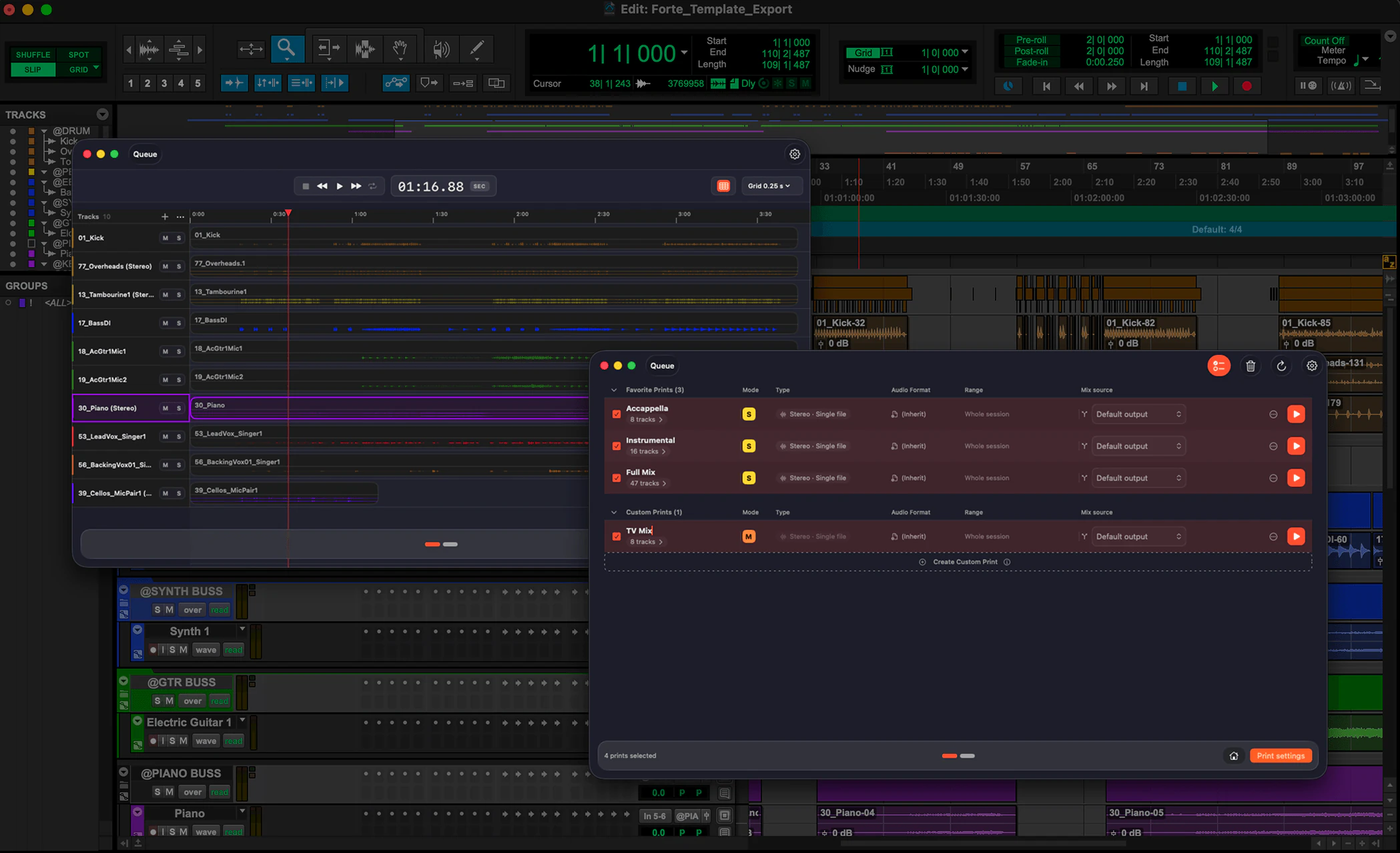
Import. Organize. Export. Batch the lot.
Mix prep, done on arrival.
From a folder of files to a mix-ready session: every track recognized by instrument on-device, named, organized by category and routed to your template. Strip silence and stereo-to-mono included. One template, saved for every project after.
Any PTX, reorganized.
Open any existing PTX and fMusic reads it track by track, recognizes what each one contains, and reorganizes the session to your standard: renamed, recolored, re-routed and reordered. A session from another room becomes yours in minutes.
Bounces run themselves.
Define custom and favorite prints once, create new ones with a global shortcut without leaving Pro Tools, and run them across multiple sessions in batch. Stems and alternate mixes land to your naming, mono and stereo handled. On Suite, each print carries its own mix source, formats and marker ranges.
Queue the whole album.
Every module runs in batch: fMusic opens, processes and closes every session in sequence, overnight included. On Suite, import and export jobs share one queue. No supervision needed.
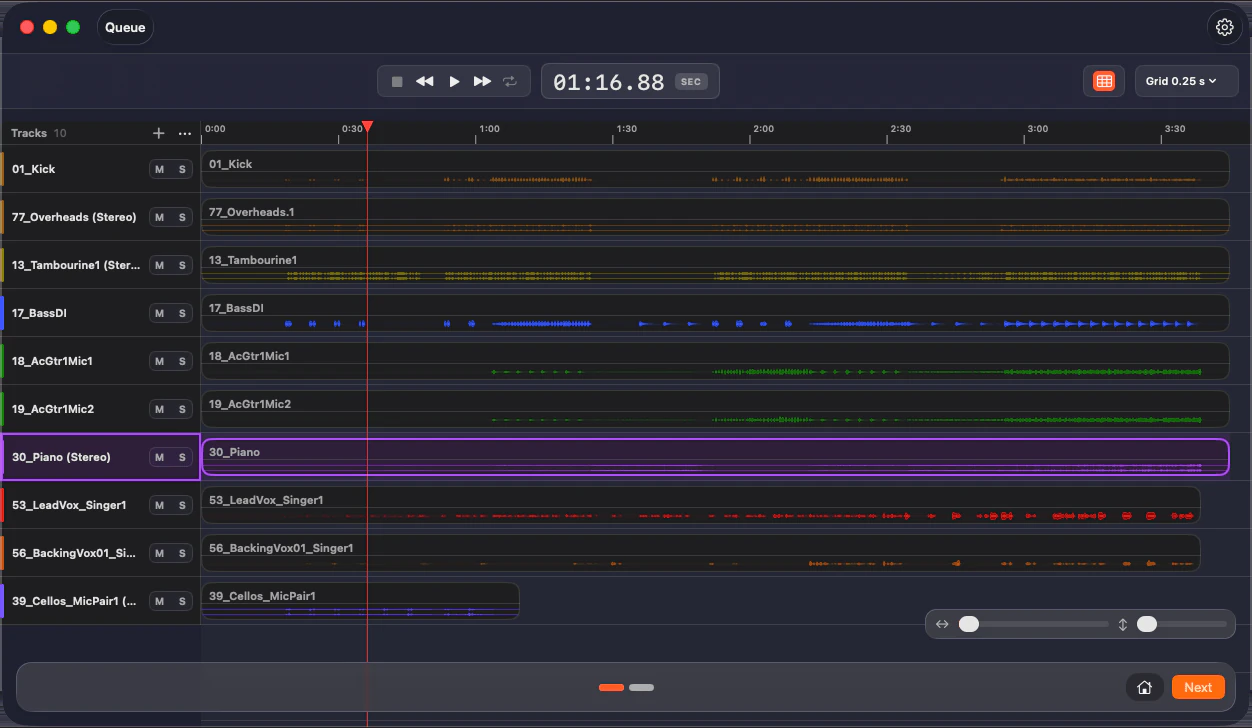
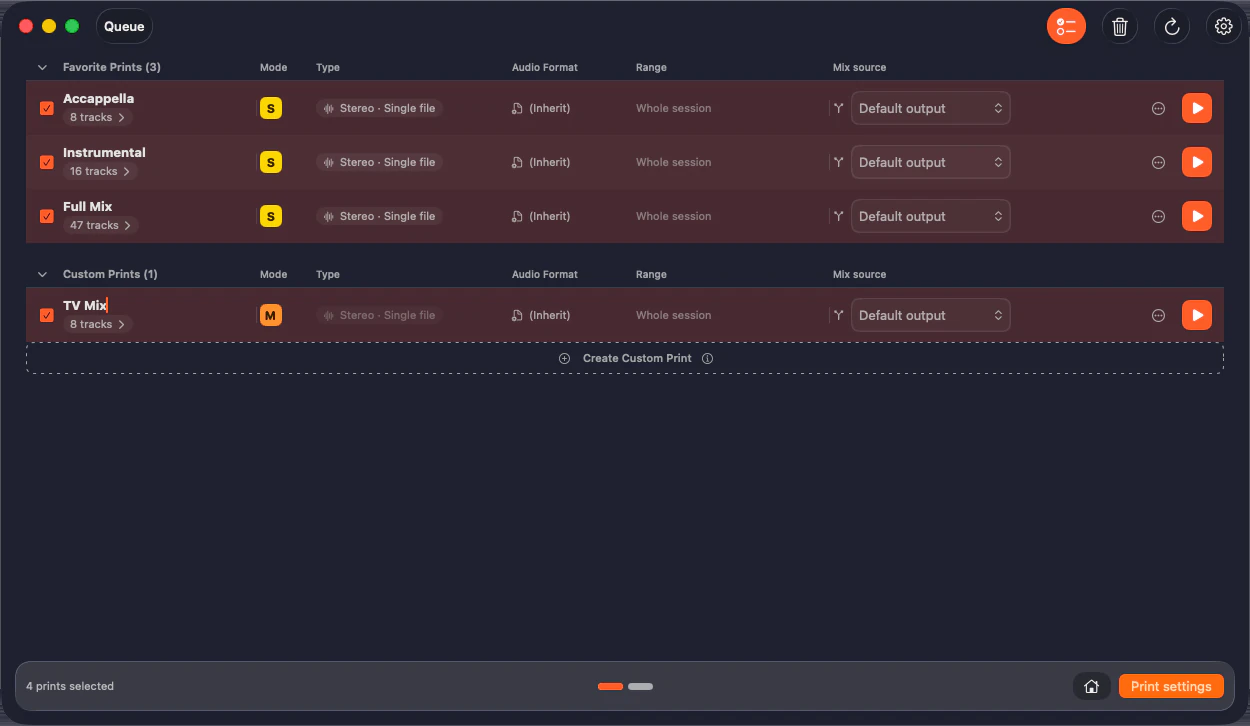
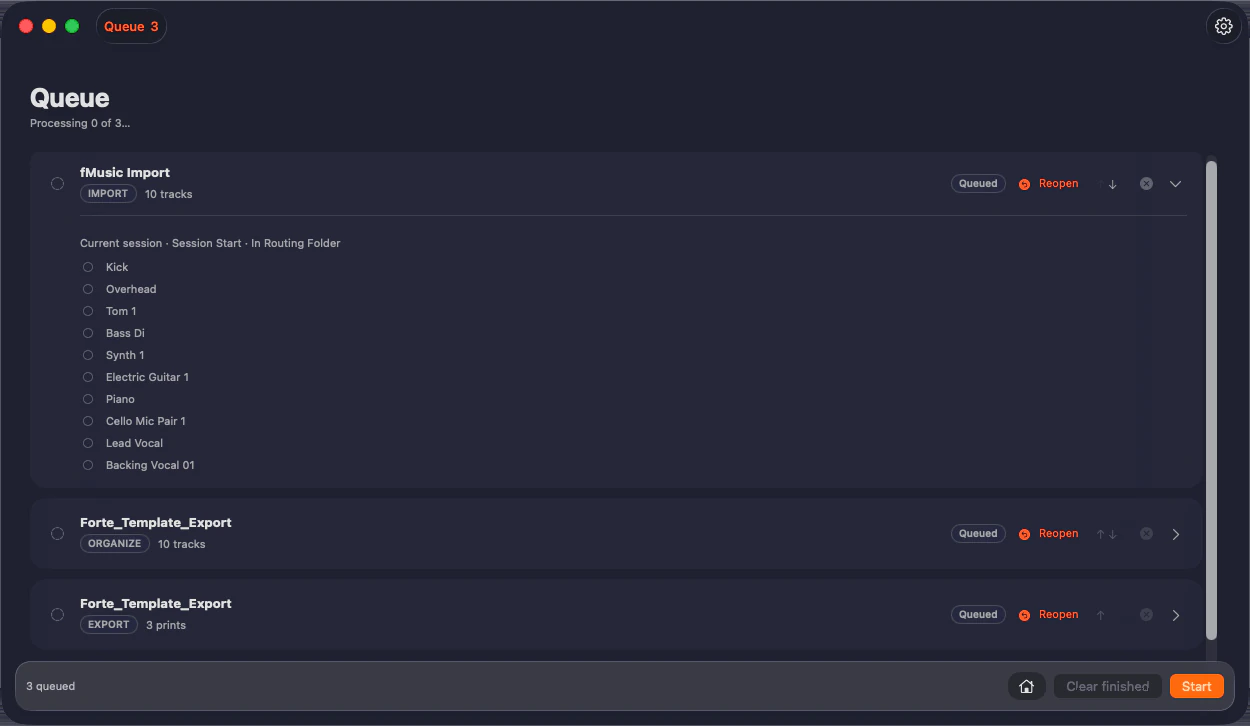
Watch the session run itself.
From import prep to printed stems, hands-off, on a real project.
Prep on the way in. Stems on the way out.
fMusic covers the whole path: mix prep on import, any PTX reorganized on Suite, stems and alternate mixes on delivery. Naming, routing and batch in between.
Stem Export
Every stem set and alternate mix printed to your naming and formats, unattended. Global shortcuts create prints from the tracks selected in Pro Tools, and the queue runs them on one session or the whole album. The work that used to eat your evenings just runs.
Mix Prep
Sessions cleaned, routed and named to your template before you start. Open and mix.
Mix template integration
fMusic works with the mix template you already have: routing, naming, categories. Teach it your delivery once, and every record after prints stems, alts and naming to match.
Runs unattended
fMusic drives Pro Tools on its own: queue the prints, step away, and the stems are waiting when you get back.
Reorganize any PTX to your standard.
Something no other tool does: fMusic Suite opens any existing Pro Tools session, recognizes every track by content, and reorganizes it to your standard: renamed, recolored, re-routed and reordered.
Built for producers, engineers and studios
Mixing engineers, producers, studios and composers run fMusic where the deliverables pile up.
Mixing engineers
Stems and alt mixes print to your template while you mix the next song. The deliverable list stops being your night shift.
Read more →
Music producers
Every version, every alt, every TV mix named and organized automatically. Send links, not apologies.
Read more →
Recording studios
Two seats per license, consistent deliveries across every engineer in the room. One template for the whole facility.
Read more →
Composers
Cue after cue, stems land structured the same way. Music editors stop asking and start importing.
Read more →What fMusic actually does, all day.
Measured in fMusic over the last 12 months, as of July 2026. Hours saved is an estimate: 30 minutes of manual work per import and per export.
Pricing that pays for itself.
Every plan starts with a 7-day free trial, everything unlocked: every trial is full Suite.
- Built for Pro Tools (included)
- 2 seats (included)
- Import module: mix prep to your template (included)
- Export module: stems, prints and alt mixes (included)
- Multi-session batch processing (included)
- Free updates (included)
- Organize module: any PTX reorganized to your setup (Suite only, not included)
- Match template and track preset modes (Suite only, not included)
- Audio normalization: target level, True Peak or RMS (Suite only, not included)
- Custom mix source, markers and formats per print (Suite only, not included)
- Stem categories from routing folders (Suite only, not included)
- Print preview with audition (Suite only, not included)
- Mixed queue: imports and exports in one batch (Suite only, not included)
- Full offline use, air-gapped (Suite only, not included)
The engineers already moved.
“Even with complex custom-coded automation, I still struggled in the studio. With Forte that burden is gone. Priceless.”
“Check for mono files as stereo, import them, move tracks around, color code, strip silence. Forte makes all of it quicker so you get to the good bit faster.”
“I've tried every solution for bouncing stems, and so much about Forte just clicks. The mix prep system is exactly what I've wanted for years.”
“Forte has changed everything for me when it comes to mix prep. I can't recommend it enough.”
“Forte has become a daily part of my Pro Tools workflow. The import and batch stem export is a massive time saver.”
“The prep that used to eat my mornings just happens now. I open the session and it is already done.”
Frequently asked questions
Have a question about fMusic? These are the ones we hear most. If yours is missing, get in touch.