
Skip to content

Skip the prep.
Now inside Pro Tools.

fMusic and fPost now run as Pro Tools Extensions: mix prep, AAF turnovers and stem exports, without leaving your session.

  • Pro Tools 2026.11+macOS 13.5+
  • Free to start

One for music. One for post.

fMusic automates music deliverables. fPost automates audio post. Both open from the Extensions panel in Pro Tools, with the same account and plan as the apps.

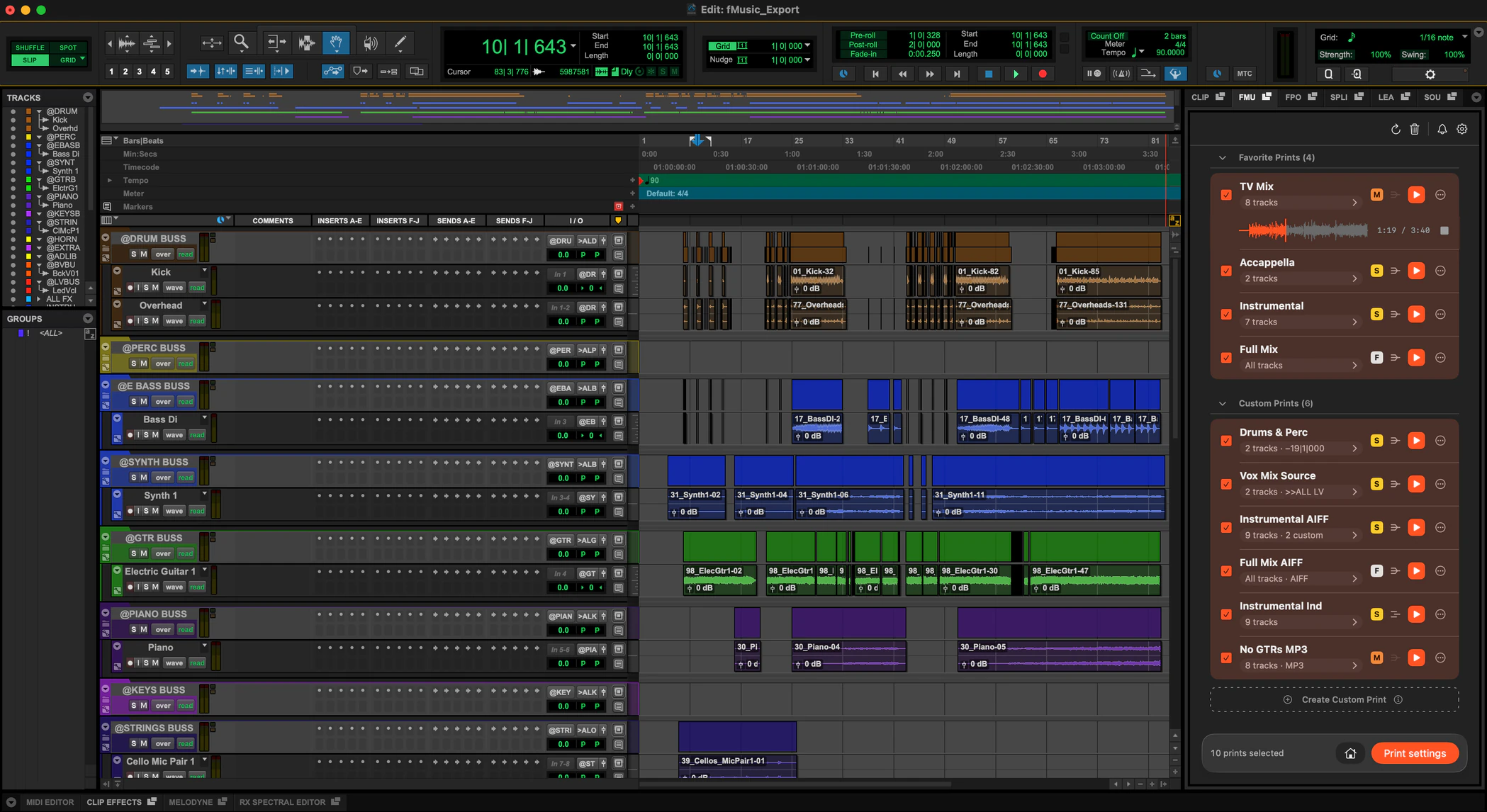
  • fMusic Extension’s prints in a side tab of a Pro Tools music session

    fMusic Extension

    Mix prep and stems, inside Pro Tools.

    Mix prep on import, any session reorganized to your naming, colors and routing (Suite), stems and alt mixes on delivery. Opened from the Extensions panel, as a side tab, with a full window when you need it.

    • Mix Prep
    • Session Reorganize
    • Stem Export
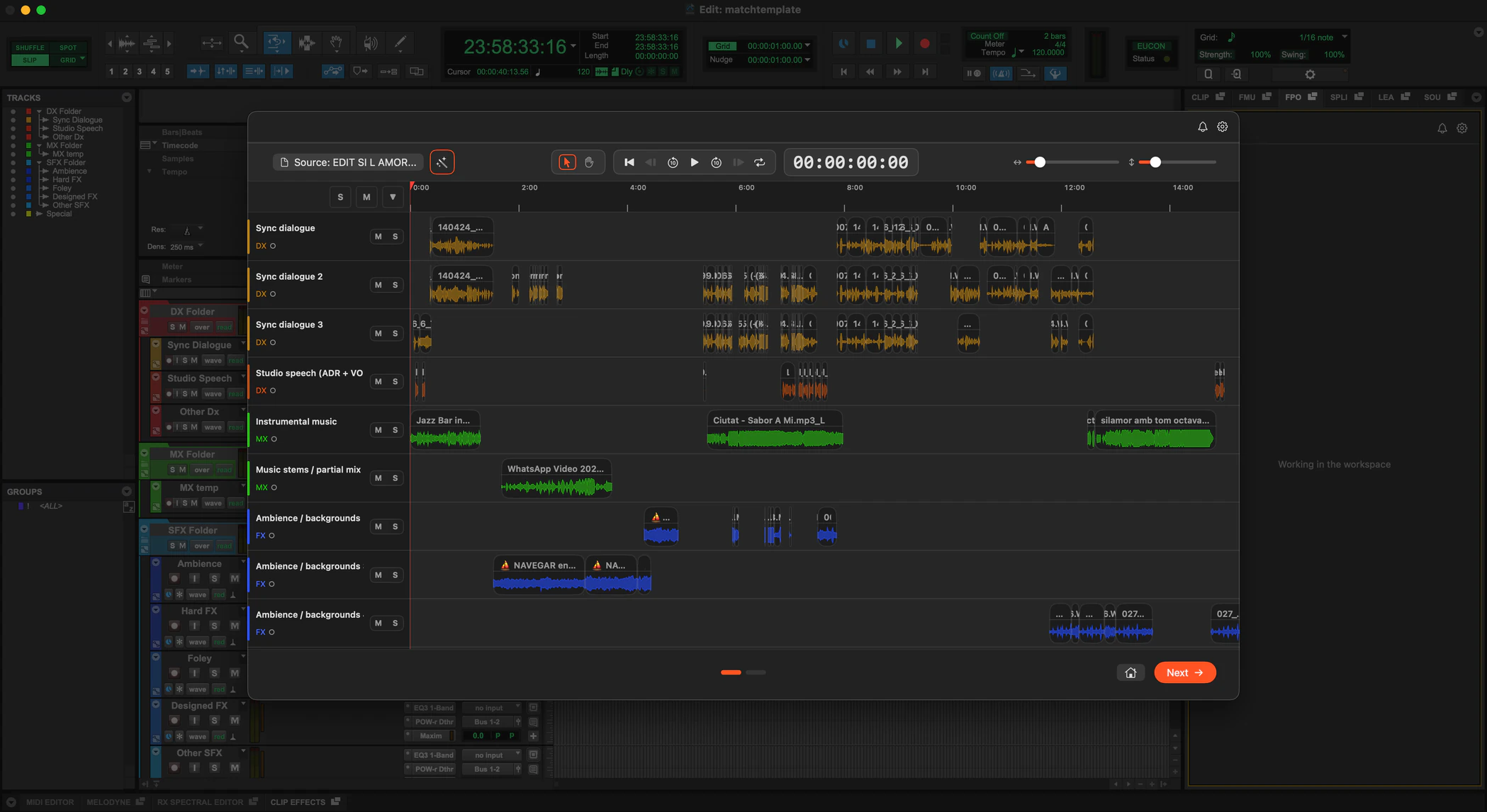
  • fPost Extension showing an AAF in the Visualizer, inside Pro Tools

    fPost Extension

    AAF to mix-ready, inside Pro Tools.

    AAF import, session reorganization and on-device content detection, opened from the Extensions panel, so your team starts mixing faster.

    • AAF Import
    • Session Reorganize
    • 100% local

What our partners say

Dave Tyler

“Forte has established itself as a leading developer of innovative solutions that extend and enhance Pro Tools workflows. With fPost and fMusic, they’re applying intelligent automation to streamline time-consuming session prep, organization, and delivery tasks across postproduction and music. We’re excited to work with developers like Forte to bring new possibilities to the Pro Tools community and help customers work faster while keeping their focus on creativity.”

Dave TylerDirector of Audio Partnerships, Avid

The partnership

From partner to Extension, in seventeen months.

  1. June 2025

    Avid Technology Partner

    Forte becomes an Avid Technology Partner. The same month fMusic ships export: full stem deliverables, automated.

  2. April 2026

    Avid shows fPost at NAB

    An AAF turnover prepped into a mix-ready Pro Tools session, demonstrated by Avid in Las Vegas.

  3. September 2026

    Extensions previewed at IBC

    Avid previews Pro Tools Extensions in Amsterdam, third-party tools running inside Pro Tools, Forte among them.

  4. November 2026

    fMusic and fPost ship as Extensions

    Both run inside Pro Tools 2026.11, from the Extensions panel, with the same account and plan as the apps.

Frequently asked questions

Pro Tools Extensions, what is free and the partnership. If yours is missing, get in touch.

What is a Pro Tools Extension?

A Pro Tools Extension is a third-party tool that runs inside Pro Tools, opened from the Extensions panel as a full window or a narrow side tab, instead of as a separate application. Pro Tools 2026.11 introduces Extensions, and fMusic and fPost are two of them, each its own Extension. fMusic and fPost live in the side tab and open the full window for the Visualizer and setup.

Do I need a separate license for the Extension?

No. Each Extension is the same product as its desktop app: a paid fMusic plan includes the fMusic Extension, a paid fPost plan includes the fPost Extension, and a plan bought from an Extension unlocks the desktop app too. Same account, same Studio, Suite and Lifetime plans, at the same prices as on the pricing page.

Where do I find fMusic and fPost in Pro Tools?

In Pro Tools 2026.11, open the Extensions panel or pick Extensions from the menu bar: fMusic Extension and fPost Extension are listed there. Pro Tools sends you to Avid’s Extensions page to download the installer; the same installers are on the Forte download page.

What is free in the Extensions?

Your first task is free, with no account needed. At the next one you sign in and a 7-day free trial starts, with everything unlocked. The Visualizer is free with your account. After the trial, without a plan, you keep 2 free jobs a month on each Extension, with every feature unlocked. On fMusic an import, an organize or a print each count as one job; on fPost an import or an organize. A job is spent only on the final button, and a run you stop after clicking still counts. AAF Checker stays free.

Does the Extension replace the desktop app?

No. The Extension brings the same workflows into Pro Tools, so the session stays in front of you and you never switch apps. The desktop apps stay available with the same plan, for the rooms that prefer them.

Does my audio leave my Mac when I use the Extension?

No. The Extension runs the same on-device engine as the app: recognition and classification happen on your Mac, and nothing is uploaded. That is what makes it usable on material under NDA.

Which Pro Tools and macOS versions do the Extensions need?

The Extensions need Pro Tools 2026.11 or later and macOS 13.5 or later, for fMusic and fPost alike.

Try Forte.

  • Free to start