

 Loris Comba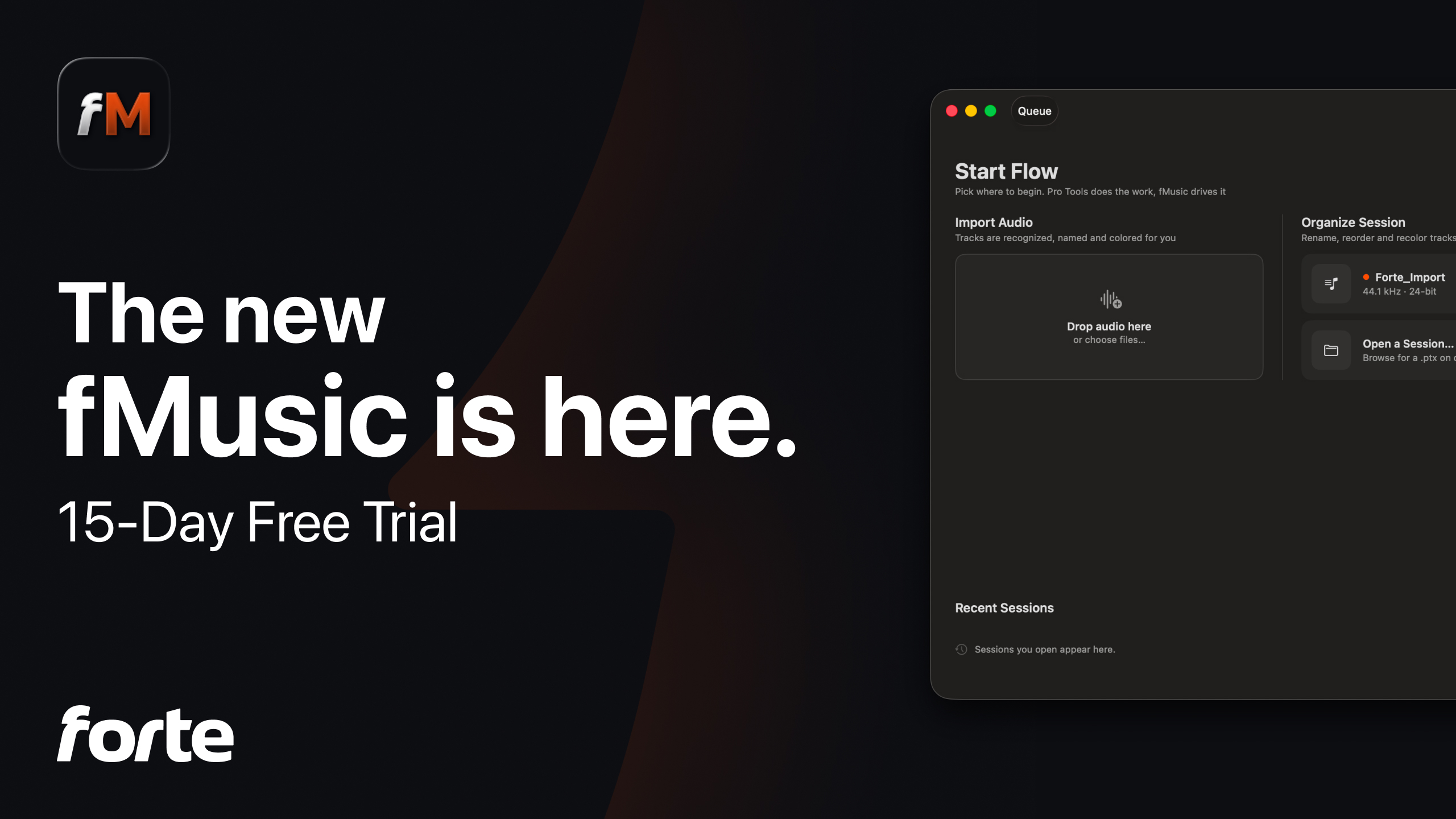
fMusic has done two jobs since it first shipped two years ago: bring audio files into Pro Tools as an organized, routed, mix-ready session, and print the deliverables back out. Today's release adds the third job people kept asking for, and rebuilds the entire product around all three.
The new fMusic is a native Mac app with a new engine, a new interface, and a new module called Organize, and it now comes in two tiers, fMusic Studio and fMusic Suite. If you are an existing user, the first thing to know is the most important one: your upgrade is free, and everything you had is still there.
One app, three flows
The new dashboard is built around three flows. Import audio is the one you know: point fMusic at a folder of stems and get back a session where every file is identified, named, colored, routed and placed. Export deliverables is the other one you know: prints, stems and formats rendered out of Pro Tools in a batch. Between them now sits Organize, and it is the piece that changes what the product is.
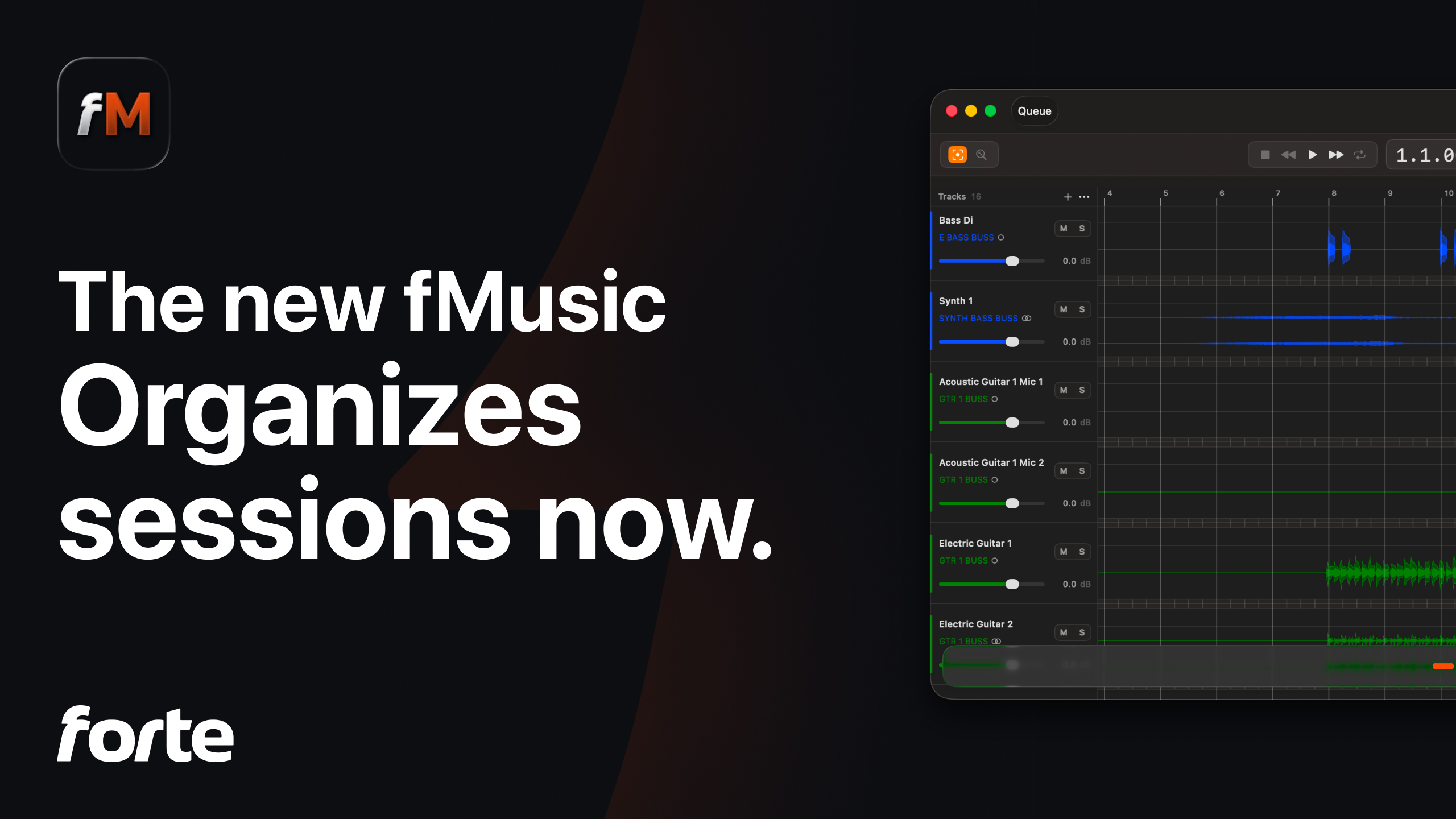
Every module runs through the new visualizer, a timeline view inside fMusic itself where you see waveforms, reorder tracks, and solo, mute and audition audio before anything touches Pro Tools. What used to be a settings screen and a progress bar is now a place where you can check the work before it happens.
Organize: the module that completes it
Until now, fMusic organized the audio that arrived from other people. Organize applies the same treatment to sessions themselves. Open a messy Pro Tools session through fMusic and it reads the arrangement track by track, identifies what each track contains, and reorganizes the session: categorized, renamed, colored and ordered, the same way it has always handled incoming files.
The module works like Import, deliberately, with the visualizer and the same category logic, tailored to material that is already in a session rather than arriving as files. It is aimed at the person who inherits sessions from others, and at anyone whose own sessions accumulate entropy faster than they get cleaned.
With Organize in place, the product covers the whole shape of the job: audio in, session in order, deliverables out. That is why this release is a rebuild rather than an update, and why the work went where it did.
Rebuilt native, and you can see it
The new fMusic is native macOS code with a new engine underneath. The practical differences show up everywhere: the visualizer above, strip silence with parameters per category, gain staging that lands every import at a consistent loudness, and control over exactly where imported material is placed in the session.
On the export side, every print now carries its own recipe (the user can decide to settle things custom per print or at the end for the full session): its own mix source, its own formats, its own range set by markers or timecode, and a preview you can listen to before committing to a long bounce. Categories can now be built from more than a routing source, including routing folders, so the way your session is organized is the way your exports select their content.
Each of these gets its own piece in the coming weeks, with the demos to match. The full feature by feature map is already up in what changed from fMusic. The short version: nothing you knew is gone, and most of it grew.
Studio and Suite
fMusic now comes in two tiers. fMusic Studio is the complete product: import, the visualizer and export. Everything fMusic did before lives in Studio, updated. fMusic Suite adds the professional delivery layer on top: Organize, print preview with audition, categories from routing folders, per print recipes, gain staging, match template and track presets, offline use (coming soon), and a mixed queue that runs imports, organize jobs and exports as one batch.
The line between them is the shape of your work, not the size of it. If your exports are deliverables with specs, on deadlines, for clients, Suite is built for that layer. Studio is not a reduced version of anything; it is the whole workflow fMusic has always covered, in its best form so far.
Pricing is per month, per year or one shot: Studio at EUR 9/month when billed yearly (EUR 18/month billed monthly), Suite at EUR 11/month when billed yearly (EUR 22/month billed monthly), Studio EUR 499 and Suite EUR 699 when lifetime, with 2 seats on every plan. Details on the pricing page.
If you already use fMusic
Your upgrade is free. Every subscriber and every lifetime holder is updated to the new product with everything they had, at the price they already pay, landing in the tier that matches their current plan. Nothing is taken away, nothing needs to be repurchased, and your presets and settings carry over. The workflow Ed Thorne walked through in his published review of fMusic is the workflow that carries forward.
This was the promise the rebuild was built under, and it is worth stating publicly: nobody who trusted fMusic loses anything by this release. Existing users will also hear from us directly about what the new release means for their specific plan.
One group has its own path. fMusic for Logic Pro continues as its own product for Logic users, with its own requirements, macOS 11 or later and Logic Pro 11.1 or later. More on that in its own piece.
Try it
For the launch, everyone gets 15 days of the full Suite automatically, every feature open, no credit card, whether you are new or updating. Once the launch window closes, the standard 7 day trial returns for new users. New users download from forte-ai.com/fmusic; existing users will find the update waiting in the app they already have.
The new fMusic Studio and Suite require Pro Tools 2024.3 or later and macOS 13.5 or later.
Frequently asked questions
Is the upgrade free for existing users?
Yes. Every subscriber and every lifetime holder is updated to the new product with everything they had, at the same price, in the tier matching their current plan. Existing customers also receive direct communication about upgrade options for their specific situation.
What is the Organize module?
A new third module that applies fMusic's organization pipeline to existing Pro Tools sessions rather than incoming files. Open a session through fMusic and it identifies, renames, colors, orders and categorizes what is already on the timeline.
What is the difference between fMusic Studio and fMusic Suite?
Studio is the complete import and export workflow fMusic has always covered, rebuilt. Suite adds the delivery layer: Organize, print preview, categories from any session element, per print recipes, gain staging, match template and track presets, offline use and the mixed queue. A full comparison is coming as its own article.
What happens to fMusic for Logic Pro?
It continues as its own product for Logic users, one purchase, with its own requirements: macOS 11 or later and Logic Pro 11.1 or later. The new Studio and Suite tiers are built for Pro Tools.
What are the system requirements?
fMusic Studio and Suite require Pro Tools 2024.3 or later and macOS 13.5 or later. fMusic for Logic Pro requires macOS 11 or later and Logic Pro 11.1 or later.
How long is the free trial?
At launch, 15 days with the full Suite feature set open and no credit card required, for new downloads and for existing users updating from the app. After the launch window, the standard trial is 7 days.
fMusic brings audio into Pro Tools organized, keeps sessions in order, and prints the deliverables back out. The new version is at forte-ai.com/fmusic.