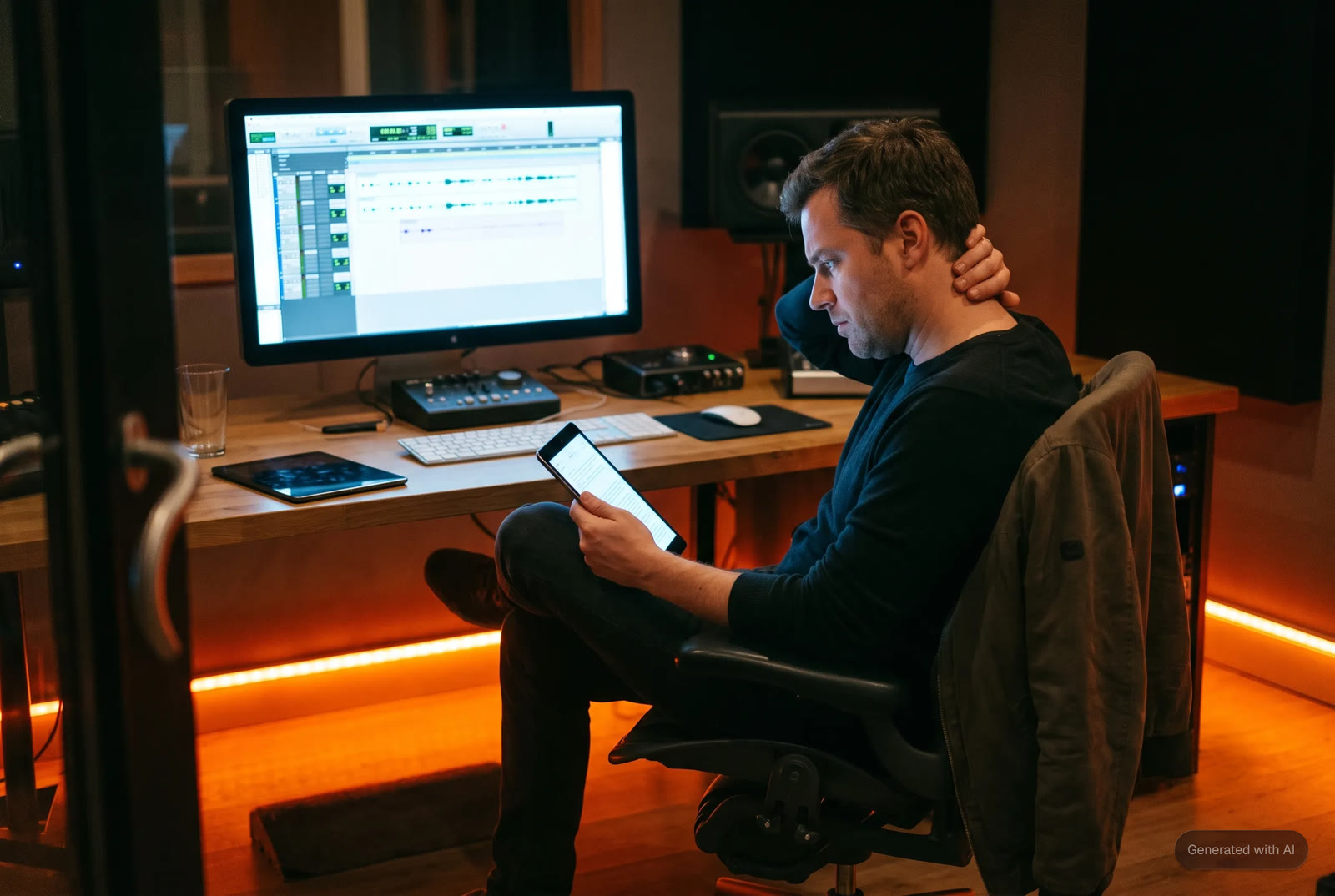
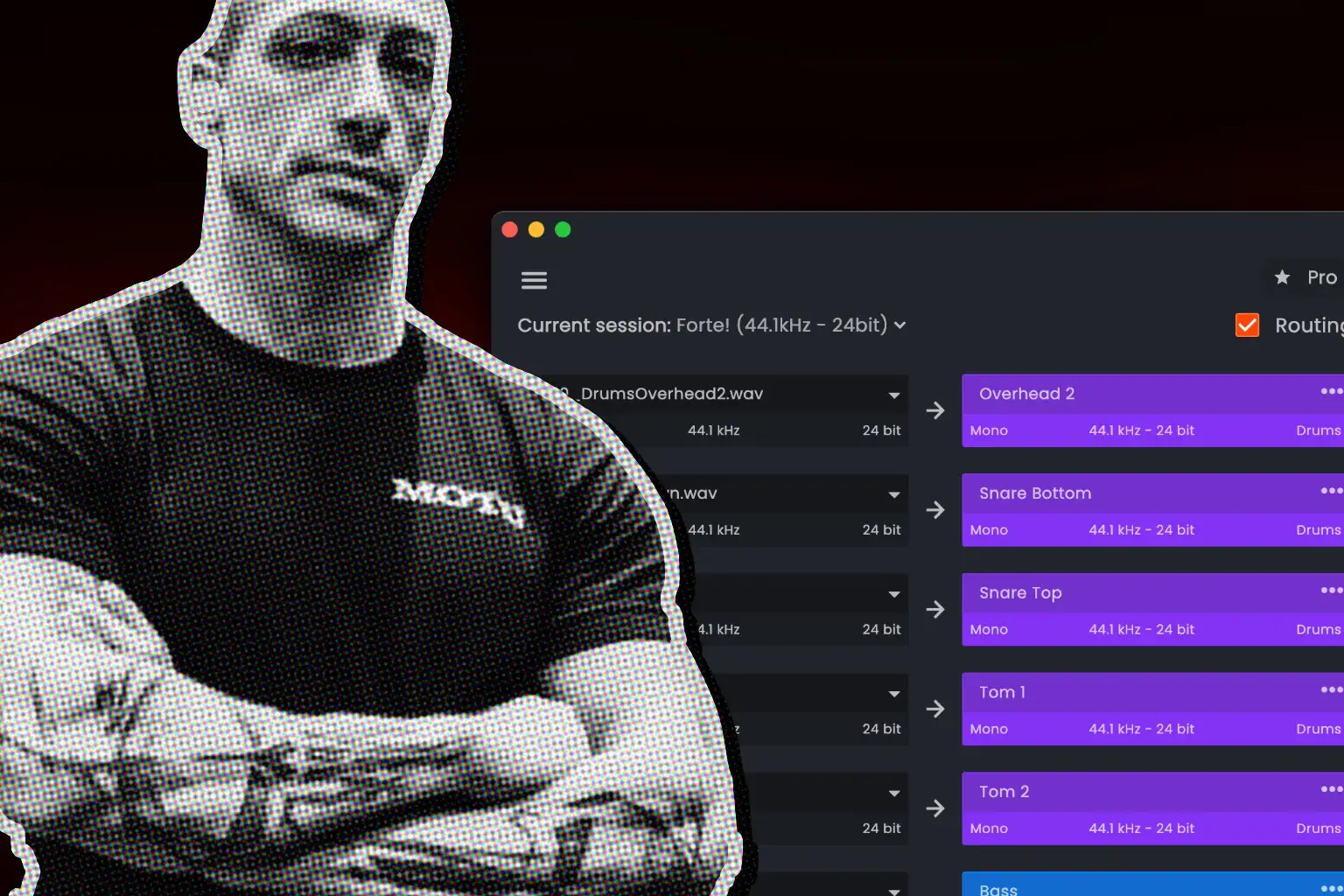
⚡ Quick summary. PTX session prep is the work required to reorganize an existing Pro Tools session before the audio post team can begin creative work. It costs one to three hours per session, sometimes half a day on complex projects, and the cost falls on whoever opens the session next, usually a dialogue editor, assistant, or re-recording mixer. fPost handles that layer with AI breakdown into DX, MX, and SFX, Mix template matching against the facility template already open in Pro Tools, Mono to stereo pair detection and conversion, and Metadata forensics for early validation. Generally available on macOS 13.5+ with Pro Tools 2024.3+. Studio is €288 per year (or €49 month to month). The AAF Checker tier is free.
PTX session reorganization is one of the most invisible time costs in audio post production. Across the customer discovery work Forte AI has run with dialogue editors, assistants, re-recording mixers, and facility owners in London, New York, Los Angeles, and Washington D.C., the same number kept showing up: one to three hours per session, approaching half a day on complex projects. The cost falls entirely on the engineer before any creative work begins, and it gets absorbed without ever appearing as a line item.
It is also distinct from AAF prep. With an AAF you are importing from picture editorial. With a PTX session you are already inside Pro Tools, the session technically plays back, and it is still nowhere near ready for the work the facility actually has to do. This article walks through what PTX prep involves, where it sits in the broader audio post production workflow, and how fPost (Forte AI's automation product for audio post professionals) closes the gap.
Where PTX Prep Fits in the Audio Post Production Workflow
Most workflow guides describe audio post as a sequence of creative phases: spotting, session setup, dialogue editing, Foley, ADR, sound effects, sound design, music, mix and master, finalize. LucidLink's audio post-production workflow guide breaks the sequence into ten phases. Travsonic's audio post-production workflow guide for independent filmmakers covers similar ground. They all describe the creative phases well. The piece they tend to skip is the gating step that sits in front of the first creative decision: the prep that determines whether the session is ready to be worked on at all.
| Phase | What it involves | Where PTX prep sits |
|---|---|---|
| 0. Picture handoff and session prep | AAF import or PTX cleanup, track naming, routing, folder structure, template alignment, stereo and mono correction | This is the layer this article focuses on |
| 1. Spotting session | Creative team agrees on sound treatment, scenes, ADR needs | Can only happen once the session is readable |
| 2. Dialogue editing | Cleaning spoken performances, noise reduction, edit smoothing | Blocked by inconsistent dialogue routing in a messy PTX |
| 3. Foley and ADR | Live Foley recording, dialogue replacement | Folder and routing structure has to be right before sessions are usable |
| 4. Sound effects and sound design | Sourcing and placing SFX, designed elements, ambiences | Depends on a clean session organized by content type |
| 5. Music scoring and supervision | Original composition or licensed cues, music editing | Music stems need their own routing layer in the template |
| 6. Mix and master | Final balance, bus processing, deliverables | The re-recording mixer cannot open and start working on a session that does not match the facility template |
| 7. Finalize and deliver | QC, print, stem export, format checks | Print routing has to exist before the bounce phase |
The phases from 1 to 7 are where the creative work happens. Phase 0 is where the time leaks. Inside Phase 0, PTX prep is the specific case where the session already exists inside Pro Tools but is not yet in a state where editing can begin.
How PTX Prep Differs from AAF Prep, and Why It Is Harder to Spot
With an AAF, you are importing from picture editorial into a blank or templated Pro Tools session. The chaos arrives from outside. Avid's official OMF and AAF Import / Export documentation is the canonical reference on what the format is supposed to carry, and the Pro Tools Expert panel on AAFs and OMFs from video editors covers the realities of how AAFs arrive in practice.
With a PTX session, you are already inside Pro Tools. The session was started somewhere, by someone, at some point, under deadline pressure. Maybe it was a quick assembly pass. Maybe it was handed off from a collaborator. Maybe it started as a temp mix that became the working session because there was no time to rebuild it.
Whatever happened, the result is the same: a session that is technically functional but operationally unworkable. The tracks are probably there. The audio is probably there. But the naming is wrong, the organization is inconsistent, the routing has not been checked, and the structure bears no resemblance to the facility template the mixer or editor needs to work in.
So before any creative work begins, someone has to clean it up. That is PTX prep.
Who Pays the Cost: The Roles Involved in PTX Prep
The time cost does not land evenly. Different roles in the audio post chain absorb it differently, and most of the time it is the person at the start of the chain who picks up the work nobody else has time for.
| Role | Where they sit in the workflow | How PTX prep hits them |
|---|---|---|
| Supervising sound editor | Captains the post sound team, owns the creative direction | Loses team capacity to non-creative prep across every incoming session |
| Dialogue editor | Cleans and prepares dialogue tracks for the mix | Cannot start editing until dialogue routing is consistent and named correctly |
| Sound effects editor | Sources, places, and trims SFX into the session | Needs clear folder logic to know what is dialogue, what is FX, and what is music |
| Foley editor | Edits Foley recordings into sync with picture | Inherits whatever organizational structure the prep step left in place |
| Re-recording mixer | Mixes the final deliverable across dialogue, music, and SFX | The expensive role. Cannot open a session that does not match the facility template; every minute spent rebuilding routing is a minute not spent mixing |
| Assistant or junior editor | Often runs prep so editors and mixers can start clean | This is where most of the manual hours land in larger facilities |
| Freelance one-person operator | Owns every phase, often from a home studio | Cannot delegate prep to anyone, so the full time cost lands on the same person doing the creative work |
In larger facilities the prep cascades down. In smaller setups, and especially for freelance re-recording mixers and dialogue editors operating without an assistant, there is no one to delegate to. That asymmetry is part of why this problem is more invisible than it should be: the people doing the prep work are often the same people doing the creative work, and they absorb it without flagging it as a separate cost.
What PTX Session Cleanup Actually Involves, Layer by Layer
When post professionals describe a messy PTX session, they are not talking about one problem. They are describing a stack of overlapping issues that each require manual attention.
| Layer | What the problem looks like | Why it matters |
|---|---|---|
| Track naming | Generic names like Audio 1, Audio 2, Track 3, or names that reflect the original editor's logic rather than the receiving facility's | You cannot move quickly in a session you cannot read |
| Organization | Dialogue, music, effects, and ambience scattered or interspersed with no clear folder logic | Creates disorientation for anyone coming in fresh and slows every editorial decision |
| Template mismatch | Routing does not match the mixer's template, bus structure does not align, folder tracks missing or in wrong positions | The mixer cannot open and start working; they must rebuild structure or manually transfer content |
| Stereo and mono issues | Split mono files where interleaved should be, or vice versa, especially on Premiere exports | Fixing by hand accumulates across a session and drains focus without ever feeling finished |
Track naming is the most visible layer. Organization sits underneath it. The template mismatch is where the most friction occurs in facilities that have invested in building proper workflows. And the stereo and mono problems do not resolve themselves just because the session is already inside Pro Tools.
Why the Template Mismatch Is the Most Expensive Problem
Templates in serious post facilities encode routing, stem logic, deliverable structure, VCA grouping, print track placement, and naming conventions that are the result of years of iteration.
The incoming PTX session was built with its own internal logic, even if that logic is not yours. Reconciling two different organizational philosophies, in a way that preserves what matters from the original while conforming to the structure your facility relies on, is not a trivial operation.
Asking an editor or assistant to manually map incoming content into that structure, track by track, folder by folder, is asking them to spend time that could be spent on creative and editorial decisions. The cost is not just the hour or two lost. It is the cognitive load of doing administrative work while a deadline is approaching.
This is the layer fPost's Mix template matching is built around. The facility template stays the source of truth. Incoming content gets mapped into it automatically, not bulldozed over it. The session that opens for the mixer matches the template they already work in.
The Stereo and Mono Problem Pro Tools Does Not Fix For You
One detail that came up repeatedly in discovery is the stereo and mono mess. It does not resolve itself just because you are already working within a Pro Tools session.
The most common case is dual-mono files exported as stereo. Two identical mono signals masquerading as a stereo pair. Premiere exports trigger this often enough that it is now a known pattern in audio post handoff, documented in Vassar College's Premiere AAF export guide and replicated in many PTX sessions that started life on a Premiere timeline. Fixing them by hand is tedious. It is the kind of work that accumulates across a session and drains focus without ever feeling like it is done.
fPost detects dual-mono on import and converts to interleaved or true mono based on the audio content, before the session reaches anyone whose time is more valuable than diagnosing a Premiere export bug.
Why PTX Prep Is Harder to Talk About Than AAF Prep
With AAF, the problem has a clear entry point and a clear cause. Editorial handed off a file, and that file requires cleanup. The boundary between the problem and the solution is legible.
With PTX, the situation is more ambiguous. The session was already in Pro Tools. It was already started. The cleanup feels like it should be fast, and people outside the process sometimes assume it is. But anyone who has done this work in a working facility on a deadline knows that cleaning up a messy PTX session can take as long as importing and organizing an AAF from scratch, sometimes longer.
The reason is the interpretive layer. The session has history. You have to understand what was done before you can reorganize it, and you have to be careful not to destroy anything meaningful in the process. That interpretive work is what makes PTX prep deceptively expensive. It is not purely mechanical. It requires judgment about what to keep, what to rename, what to restructure, and how far to go.
The Trust Bar: What Automation Has to Get Right
In the AAF context, people told us that DIY macros and scripts break because the incoming material is unpredictable. The same is true for PTX reorganization, with an added layer of complexity.
The session already has structure, even if that structure is imperfect. An automated tool cannot simply overwrite it. It has to read what is there, make reasonable inferences about intent, and reorganize without destroying anything deliberate.
🎯 The bar for PTX automation is not "mostly right." It is right. The cost of verifying and correcting an automated tool's mistake in a complex PTX session can match or exceed the cost of doing the work by hand. Trust is the central problem. Any tool that does not understand the facility template, and that does not preserve a safety copy of the original session, is not solving the prep problem.
Good PTX automation has to meet a specific bar to be usable in practice:
- Show the editor what it is planning to do before doing it
- Give them control over which decisions to apply
- Never overwrite content that cannot be recovered
- Always preserve a reference copy of the original session state
- Be transparent and conservative rather than presumptive
How fPost Solves PTX Prep
fPost reads the open Pro Tools session, classifies content at the signal level, and reorganizes the session against the template the facility already uses.
AI breakdown listens to what is in each clip and identifies it as DX, MX, or SFX. Classification happens before any reorganization, which means fPost does not need reliable track names or metadata to sort correctly. Mix template matching reads the template open in Pro Tools and uses it as the target structure. Mono to stereo pair detection and conversion handles the dual-mono case at import. Metadata forensics surface video rate, TC format, sample rate, and clip metadata completeness up front, before the session reaches anyone whose time is being absorbed.
The original session is preserved alongside the reorganized version, so any decision fPost made can be reviewed, reversed, or rerun against the untouched source.
fPost Capability Map for PTX Prep
Each capability listed below corresponds verbatim to a feature listed on the fPost product page. They map one-to-one against the PTX prep layers above.
| fPost capability | What it does | What it replaces in the manual PTX workflow |
|---|---|---|
| Analyze and reorganize any AAF/PTX | Reads the open PTX session, applies classification and template | Hours of manual session cleanup per project |
| AI breakdown → DX / MX / SFX classification | Classifies each clip at the signal level into dialogue, music, or sound effects | Listening through and sorting clip-by-clip |
| Mix template matching | Maps classified content into the facility template already open in Pro Tools | Rebuilding routing and folder structure to match the facility template |
| Mono → stereo pair detection & conversion | Detects dual-mono content and converts to interleaved stereo | Auditioning each suspect pair by hand |
| Metadata forensics | Surfaces video rate, TC format, sample rate, media status, and clip metadata completeness | Discovering corrupt or mismatched data mid-session |
| Retain import session data | Keeps timeline position, automations, and timecode intact through reorganization | Reconstructing automation and timeline anchors after a manual cleanup |
| Works completely offline (Suite) | Runs locally on every plan, no dongles, media never leaves the workstation; Suite needs no internet at all | Cloud-dependent tools that fail in air-gapped environments |
Manual PTX Prep vs fPost-Automated Prep
The steps below are universal in the sense that every messy PTX session needs them. The way you apply them is a choice.
| PTX prep step | Manual workflow | Automated with fPost |
|---|---|---|
| Content classification | Read every track, decide whether it is dialogue, music, or SFX, sort accordingly | AI breakdown classifies content into DX, MX, and SFX, then sorts |
| Track naming | Rename Audio 1, Audio 2, Track 3 by hand to the facility convention | Naming applied from the template the facility already uses |
| Template alignment | Manually map incoming content into the facility template, track by track | Mix template matching maps content into the existing template automatically |
| Routing and bus structure | Re-check and rewire routing against the receiving template | Routing inherited from the matched template |
| Stereo and mono correction | Audition each suspect file, collapse dual-mono manually, watch for Premiere artefacts | Mono to stereo pair detection and conversion on import |
| Preserving the original | Save-as before touching anything, hope nothing destructive happens | Safety copy of the original PTX session kept alongside the reorganized version |
| Catching corrupt sessions early | Discover the issue mid-session and reverse course | Metadata forensics surface video rate, TC format, sample rate, and metadata completeness up front |
The point is not that automation replaces the editor. It replaces the work the editor should never have been doing in the first place. The creative and editorial decisions stay with the people whose expertise shapes the deliverable. The plumbing work that sits in front of those decisions does not have to.
The Pattern That Keeps Surfacing
Customer discovery around PTX prep tends to surface the same story across different facilities and different types of work.
A session arrives that is technically playable. Someone, often an assistant or junior editor, spends one to three hours doing work that is almost entirely mechanical: renaming tracks, sorting into folders, checking routing, applying colour coding, restructuring to match the facility template. The mixer arrives and starts from a clean state.
The person doing the prep is often fast and experienced at it. But they also know this is not where their skills are most valuable. And in facilities that handle significant volume, this cycle repeats across every incoming session.
The total time cost is consistent. The less visible cost is what gets lost when skilled people spend their working hours on administrative cleanup rather than on work that requires their expertise.
Questions Worth Asking Before a PTX Session Changes Hands
These questions rarely get asked explicitly in the pressure of a production. The cost of not asking them lands on whoever opens the session next.
| Question | Why it matters |
|---|---|
| What naming convention should track names follow? | Without agreement upfront, the receiving editor has to interpret or redo naming from scratch |
| Does the receiving editor or mixer have a facility template, and is there a reference for how content should map into it? | Template mismatches are the single largest source of PTX prep time |
| Are there any tracks or regions that should be treated as locked or reference material? | Reorganization without this information risks overwriting deliberate decisions |
| What is the stereo delivery expectation for the main output? | Stereo and mono inconsistencies that are not caught early compound through the session |
| Has the session been exported from a Premiere timeline? | Premiere exports are the most common source of dual-mono artefacts; flagging this in advance avoids surprises |
The Pro Tools Session Prep Checklist Before the Mix
Most of the cost above comes from skipping a step and discovering it later, often after the first creative pass has already started. This is the run-through to clear before that pass, with the guide for each step where the detail lives.
| Step | What "ready" looks like | Where the detail lives |
|---|---|---|
| Media copied in | The AAF imported with media copied, not linked, so the session is self-contained. Set Audio Media Options to Copy from Source Media. | How to import an AAF into Pro Tools |
| Safety copy preserved | An untouched version of what editorial sent, kept before any reorganization. | n/a |
| Content sorted at the clip level | Dialogue, music, and effects separated by what each region actually contains, not by which track it arrived on. | The full AAF to mix-ready workflow |
| Routing matched to the template | Folders, colors, and I/O aligned to the facility template. | n/a |
| Split stereo resolved | True interleaved stereo separated from dual-mono pairs, and the pairs re-interleaved. | The Premiere dual-mono problem |
| Timecode and sample rate verified | Both checked against the project, since a mismatch on either produces drift. | n/a |
| Production metadata recovered | Restored where the AAF dropped it, by relinking the original BWF files. | What survives the AAF export |
Run top to bottom, the list is the difference between a session that is technically open and one that is actually ready to mix. fPost runs the structural items in one pass: validation, content classification into dialogue, music, and SFX, template mapping, stereo repair, and the safety copy. That turns the checklist into a verification step rather than an hour of manual setup.
Pricing
fPost is generally available and self-serve. The free AAF Checker tier covers metadata forensics on incoming AAFs and is the fastest way to see what fPost surfaces on a session you already have on disk.
| Tier | Yearly | Monthly |
|---|---|---|
| Studio | €288 / year (€24 / month) | €49 / month |
| Suite | €348 / year (€29 / month) | €59 / month |
| Studio Lifetime | €1,199 one-time | No subscription |
| Suite Lifetime | €1,399 one-time | No subscription |
| Enterprise | Custom | Custom |
| AAF Checker | Free forever | Anyone running incoming AAF metadata diagnostics |
Full breakdown on the fPost pricing page.
The Broader Point
PTX session reorganization is the same family of problem as AAF prep. It is non-creative work that gates all creative work. It is time-consuming, repetitive, and full of judgment calls that require someone skilled enough to make them correctly.
What makes it particularly hard to surface is that it looks, from the outside, like it should be fast. The session is already in Pro Tools. You just need to tidy it up. But anyone who has done this in a working facility on a deadline knows that tidy up is rarely the right description. It is a careful process of reconciling what arrived with what the facility needs.
That gap is where a lot of time goes. And in the facilities where this work happens every day, closing it consistently does not just save hours. It changes the shape of the work.
Frequently Asked Questions
What is PTX session prep?
PTX session prep is the work required to reorganize an existing Pro Tools (.ptx) session before it is ready for audio post production work. This includes renaming tracks, sorting content into correct folders, checking and correcting routing, resolving stereo and mono inconsistencies, and aligning the session structure with the receiving facility's template.
How long does PTX session prep typically take?
Based on customer discovery with dialogue editors, assistants, and re-recording mixers, PTX prep typically takes one to three hours per session, and can approach half a day on complex projects.
Where does PTX prep fit in the audio post production workflow?
It sits at the gating step in front of the creative phases. Spotting, dialogue editing, Foley, ADR, sound effects, sound design, music, and mix all assume a clean, template-aligned session. PTX prep is the work that makes the session ready for those phases.
How is PTX prep different from AAF prep?
AAF prep involves importing from picture editorial into a blank or templated Pro Tools session. The disorganization comes from outside. PTX prep starts from a session that already exists inside Pro Tools but was built under different conditions or by a different team and does not match the structure the receiving facility needs. The interpretive work involved in PTX prep makes it at least as time-consuming as AAF prep, sometimes more so.
Who typically performs PTX session prep?
In larger facilities the work falls to assistants or junior editors. In smaller setups and for freelance re-recording mixers and dialogue editors, there is no one to delegate to, so the prep lands on the same person doing the creative work.
Why is PTX prep hard to automate?
Because the session already has structure, even if that structure is inconsistent. An automated tool cannot simply overwrite it. It needs to read what exists, make inferences about intent, and reorganize without destroying anything deliberate. This requires transparency, user control over decisions, and conservative behavior in ambiguous cases.
What does fPost do for PTX prep?
fPost reads the open Pro Tools session, classifies content at the signal level into DX, MX, or SFX, and reorganizes the session against the facility template already open in Pro Tools. Dual-mono pairs are detected and converted to stereo. Import session data (timecode, automations, timeline) is retained. The original session is preserved alongside the reorganized version. Metadata forensics surface video rate, TC format, and sample rate issues up front.
Is fPost generally available?
Yes. fPost is generally available on macOS 13.5 or later with Pro Tools 2024.3. Studio is €288 per year (or €49 month to month). Suite is €348 per year (or €59 month to month). Both are also sold as a Lifetime license, paid once: €1,199 for Studio, €1,399 for Suite. Enterprise pricing is custom. The AAF Checker tier is free forever.
Does fPost work offline?
Yes, on Suite. fPost Suite and Suite Lifetime work completely offline: no internet connection, no dongles, no media leaving the workstation. This is the requirement for facilities with air-gapped or compliance-sensitive workflows. Processing is on-device on every plan, so Studio never uploads media either, but it connects to the internet to verify its license.
What should be on a Pro Tools session prep checklist?
Media copied in rather than linked, a preserved safety copy, content sorted at the clip level, tracks named by content, routing matched to the template, split stereo resolved, timecode and sample rate verified, metadata recovered where lost, and deliverable formats confirmed. Clearing all nine before the first pass is what separates a session that opens from one that is ready to mix.
Stop Losing Hours to PTX Prep
If you are running an audio post facility, or working as a freelance dialogue editor or re-recording mixer, and PTX session prep is taking more time than it should, the fPost product page walks through how AI breakdown, Mix template matching, and Metadata forensics handle the prep layer. Pricing sits on the fPost pricing page. The macOS download is one click away. To see fPost run on a session that looks like the sessions you receive in practice, request a demo.
About the author: Loris Comba is Co-founder and CEO of Forte AI, an audio automation entrepreneur focused on eliminating repetitive operational tasks in professional audio production. Forte AI builds fPost (audio post production automation) and fMusic (mix prep and stem export automation) for Pro Tools and Logic Pro.
.jpg)