Every guide to AAF delivery walks you through the export dialog. Almost none of them says what to do with the file that comes out.
That gap matters because the export dialog reports what you asked for, not what you got, and the failures that reach the audio side are precisely the ones the dialog does not show: media that was referenced instead of embedded, handles that never activated, a render that stopped partway. The case for catching these on your machine rather than the mixer's is made in our guide for video editors. This page is the procedure itself: seven checks, in the order that catches the most damage first, sized to fit between finishing the export and writing the delivery email.
Before the Checks: Export From a Duplicate
One habit upstream of the checklist makes every check more likely to pass. Duplicate the locked sequence, strip it of anything that is not part of the delivery, and export from the duplicate. Disabled clips, abandoned stacks of alternates and leftover scratch audio all travel into an AAF, and none of them belong in it. While you are there, check the sequence name and clip names for characters that break exports and imports: slashes, angle brackets, ampersands and accented characters are the usual offenders.
The Seven Checks, in Damage Order
Check 1: Does the File Size Make Sense?
Select the AAF and get its info. An AAF with embedded audio weighs roughly what its audio weighs: tens or hundreds of megabytes for a short piece, gigabytes for long form with generous handles. A file measured in kilobytes means the audio is not in it. The post facility Travsonic gives 18 KB as the example of an export that silently failed, and a DaVinci Resolve export error can produce a file of just 76 bytes, both checked September 2026. Small does not have one single cause, but small always means stop and look before sending.
Check 2: Is the Audio Embedded?
Decide this on purpose rather than by default. Embedded means the audio travels inside the file and the session opens anywhere; referenced means the AAF points at files that must also make the journey, and every move between drives is a chance for the link to break. If your delivery spec says referenced, fine, that is a choice. If you do not know which you exported, the file size from Check 1 just told you.
Check 3: Did the Handles Actually Apply?
Setting a handle value is not the same as exporting with handles. In Premiere the handle field does nothing until Render is set to trim audio files, and in Resolve the audio handles checkbox lives separately from the video one on the Deliver page. If Check 1 showed a file dramatically smaller than expected for your handle setting, this is the usual reason. The full arithmetic and the per NLE traps are in our handles reference.
Check 4: Is Stereo Leaving as You Intend?
One question, asked once: is stereo content delivered as interleaved stereo or broken out to mono? From Premiere, Breakout to Mono is what prevents the multichannel references Pro Tools refuses outright. If you have never set it, our Premiere export guide covers where it lives and what it prevents.
Check 5: Is the Timecode Story Written Down?
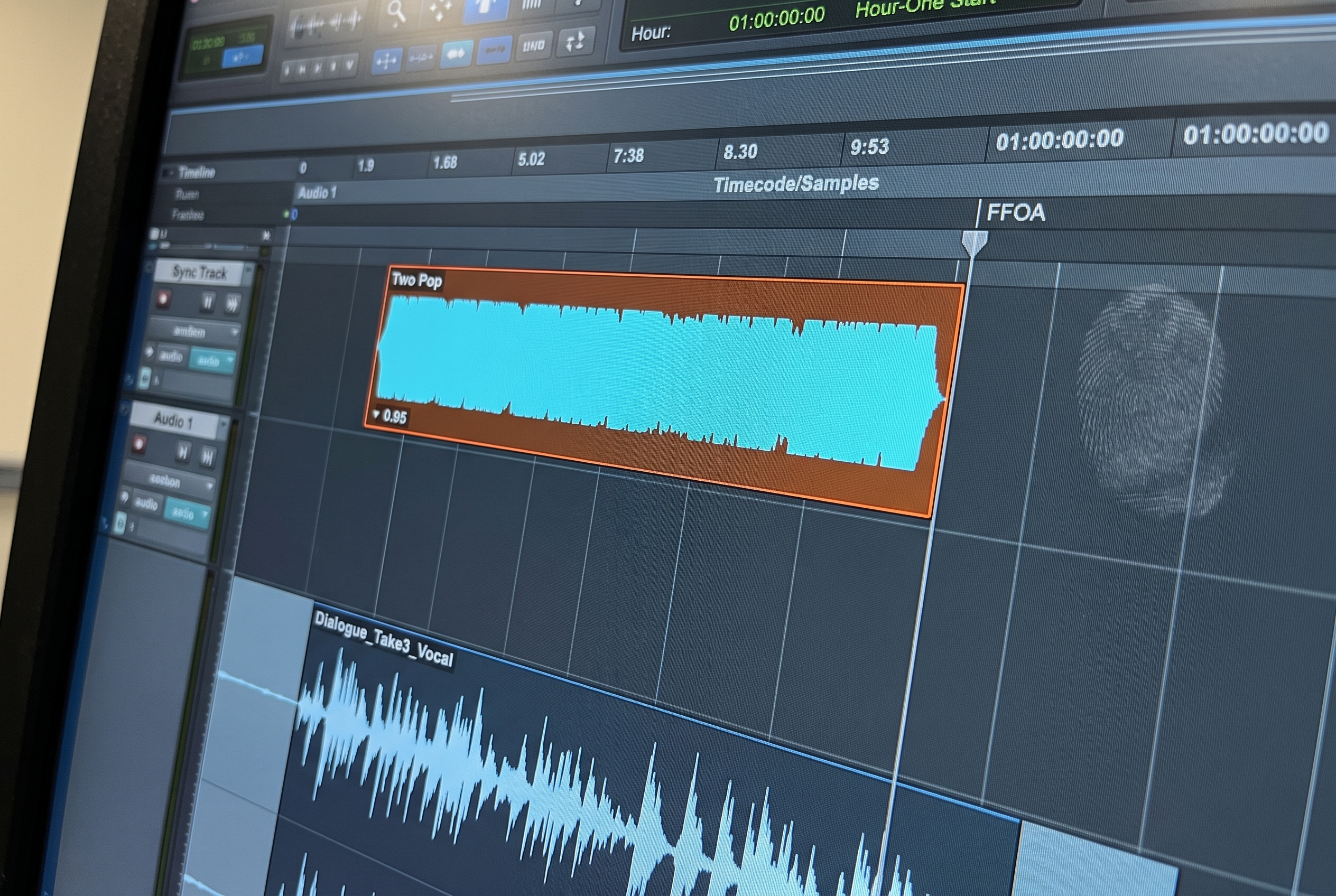
The file carries positions; it does not carry the convention. One line in the delivery note with the start timecode, the leader convention and whether there is a tail pop turns the most expensive class of misunderstanding into a non event. The conventions themselves are in our two pop and FFOA reference.
Check 6: Is the Reference Video in the Package?
The AAF has no picture in it. The reference travels alongside, and four properties make it usable rather than merely present: it matches the session frame rate, not the delivery frame rate; the timecode is burned into the image and reads the sequence timecode rather than the source timecode of the clips; your guide mix is embedded, so the audio team can hear what you intended; and the codec is ProRes or DNxHD rather than H.264, which stutters in Pro Tools playback. If the reference is rendering while you read this, the delivery is not ready yet.
Check 7: Run the File Through a Validator
Everything above is what your eyes can catch. What they cannot catch is whether the structure inside the file is intact and whether every piece of media in it is actually present and readable, which is exactly what a Pro Tools import is about to test. The free AAF Checker does that test without Pro Tools: drop the file on it and it reports the media status, the sample rate, the frame rate and the timecode. It is a native macOS app, needs no account, uploads nothing, and takes about thirty seconds on a file you were about to send anyway.
What This Check Does Not Cover
Two minutes buys you a file that opens, links and lands where it claims. It does not judge the things that need judgement. Whether ten seconds of handle is enough for this project, whether your track names will make sense to a stranger, and whether the edit itself left the mix anything to work with are questions the checklist cannot answer, and they are covered in the full delivery specification. The AAF Checker has the same limit: it verifies the file, not the choices inside it.
The order of the checks is deliberate. Size first, because it is five seconds and catches the two worst failures. The validator last, because it is the only step that inspects what you cannot see, and by then everything it flags is worth taking seriously.
Frequently Asked Questions
How do I check an AAF before sending it?
Get the file's info and confirm the size makes sense for embedded audio, confirm handles and stereo settings actually applied, write the timecode convention into the delivery note, package the reference video, and run the file through a validator that reports media status, rates and timecode. The whole pass takes about two minutes.
Why is my exported AAF only a few kilobytes?
Because the audio is not in it. Either the export referenced external media rather than embedding it, or the export failed partway. Both look identical from the NLE side, which is why the file size check comes first.
Can I open an AAF to see what is inside it?
Not usefully in your NLE, and reimporting an AAF into the application that made it can fail even when the file is fine. A validator built for the format reads the structure directly and reports what a Pro Tools import will find, without needing Pro Tools.
What does the AAF Checker actually test?
Whether the file's structure is intact, whether its media is present and readable, and what sample rate, frame rate and timecode it carries. It does not judge handle lengths, naming or edit decisions, which stay between you and the person receiving the file.
Do I need to run a check if my export settings are saved as a preset?
Yes, because the failures this catches are not settings mistakes. A render that stops partway, a linked file that did not travel and a corrupt export all happen with perfect presets, and each one costs a re-export round trip if it is discovered on the receiving side instead.
The AAF Checker validates any AAF in about thirty seconds, free, with no account and nothing uploaded. Download it at forte-ai.com/download/aaf-checker.