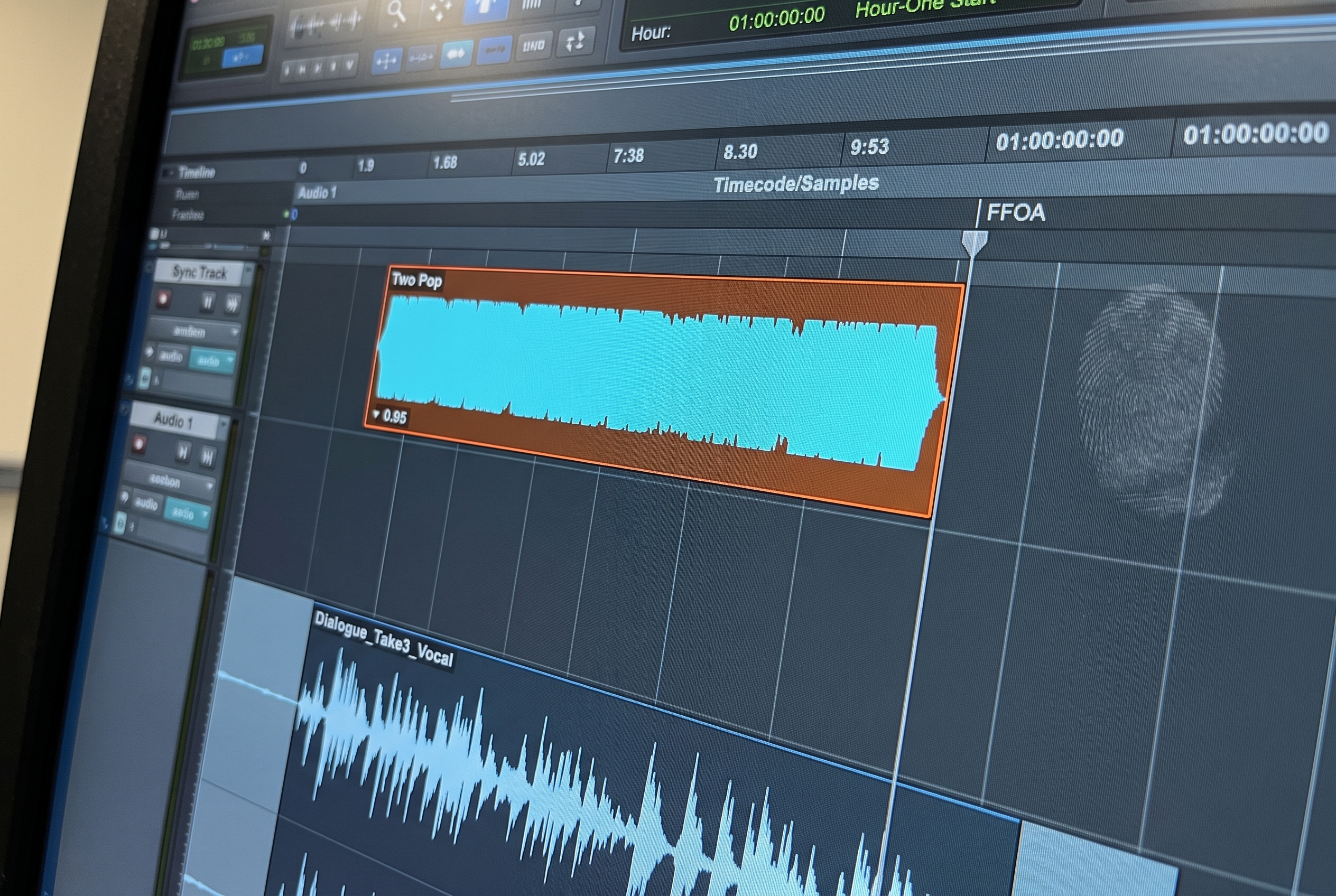
At a glance: Audio post production runs in seven phases: handoff from picture editorial, ingest and session prep, dialogue edit, sound design and Foley, music integration, premix and final mix, then deliverables and QC. The sequence is the same on a feature, a streaming series and a commercial. What changes is the scale, the delivery spec, and how many of the seven roles land on one person. Two phases absorb most of the non-creative time, session prep at the start and deliverable production at the end. Session prep alone runs two to three hours per session and approaches half a day on complex material, before any creative work begins. This guide covers each phase, who owns it in a resourced facility, the handoff points where it fails, and the loudness standards the final mix has to hit.
Most of audio post is invisible to the audience. What the audience hears is a mix. What got the mix to that point is a chain of specialized work that starts the moment picture editorial locks a cut and ends when deliverables arrive at the broadcaster, streamer, or theatrical distributor. Each phase in that chain has its own job, its own tools, and its own failure modes.
The workflow is stable across formats. A feature film, a streaming series, a commercial, and a corporate explainer share the same fundamental sequence. What changes is the scale, the deliverable spec, and how much of the work falls on one person versus a team.
This guide walks through that full sequence, from the moment an AAF lands in an audio professional's inbox to the moment the deliverables are signed off.
Where Audio Post Fits in the Production Chain
Audio post production is the phase that begins after picture editorial has locked or near-locked a cut. It sits between picture editing and delivery. In practice, the boundary is rarely clean. Pictures keep changing. New VFX shots come in. Clients request edits after the audio team has already started. The workflow has to accommodate that reality without letting it compound into chaos.
The deliverables expected at the end of audio post differ by medium:
- Theatrical: 5.1 or 7.1 print master, M&E (music and effects without dialogue), stems for archival
- Streaming: 5.1 or stereo print master calibrated to platform spec; Netflix, Disney, and Amazon each publish their own loudness and stem requirements
- Broadcast: Stereo or 5.1 print master at ATSC A/85 (-24 LKFS in the US) or EBU R128 (-23 LUFS in the EU), stems for archive
- Commercial: Stereo mix at a specific loudness, commonly -24 LKFS, with per-region localization versions
- Podcast and corporate: Stereo mix at platform-specific loudness targets
The audio post workflow produces all of these. The tools, formats, and roles stay roughly the same regardless of destination. What changes is the scale and the final spec.
The Roles
A fully resourced facility has dedicated roles for each phase. Most independent work runs several of those roles together in one person.
| Role | What they do |
|---|---|
| Supervising sound editor | Oversees the sound post team, manages turnovers, schedules, creative direction |
| Dialogue editor | Organizes and cleans production dialogue, preps ADR cues |
| Sound designer | Builds original sound effects and designs the sound world of the project |
| Foley artist and recordist | Records custom synchronized effects (footsteps, cloth, props) |
| Music editor | Integrates score, licensed music, and source cues |
| Re-recording mixer | Assembles the final mix from dialogue, music, and effects |
| Mix tech or assistant | Preps sessions, handles template setup, manages deliverables |
In independent and small-facility work, one engineer is typically running several of these roles at once. The workflow below applies in either case. The work has to happen; who does it depends on the shop.
Phase 1: The Handoff from Picture Editorial
Audio post starts with a handoff. Picture editorial exports:
- An AAF file (the timeline structure and clip references)
- A QuickTime video reference (for playback and sync)
- Ideally an EDL (Edit Decision List) as a backup for metadata reconstruction
The AAF is the primary file. It carries the audio from the picture edit, volume automation, track layout, and whatever metadata the NLE preserved through export. Avid Media Composer produces the most reliable exports. Adobe Premiere frequently splits stereo content into mono pairs. DaVinci Resolve is the least consistent. Final Cut Pro X has no native AAF export and requires a third-party converter. All of these variations land in the same Pro Tools import dialog with no warning about which problems are about to surface.
The handoff is the workflow's first failure point. An AAF that imports cleanly is not a session ready for work. It is organized around picture editorial's workflow, not audio post's. The next phase is where that gap becomes visible.
Phase 2: Ingest and Session Prep
This is where most of the non-creative time goes. The AAF imports into Pro Tools in roughly 30 seconds. Getting the session from imported to session-ready takes two to three hours on a typical project and can approach half a day on complex material.
Session prep covers:
- Clip-level sorting. Content types are scattered across tracks because the picture editor dropped audio wherever there was timeline room. Dialogue sits on SFX tracks. Music lands in unexpected places. Each clip needs to be assessed, classified, and moved to the correct position in the facility's template. Scripts that parse track names fail here because the names are not reliable.
- Template alignment. Every serious post facility has a routing template: folder tracks, bus assignments, color coding, I/O routing. That template is the operating system of the facility, not a cosmetic preference. Incoming content belongs inside the template rather than overwriting it. The full reference on how facility templates are built is in the Pro Tools template guide.
- Stereo and mono resolution. Some NLE sources, particularly Adobe Premiere, split stereo files into mono pairs on export. These need to be detected and re-interleaved before routing begins. A mono-on-stereo-track problem found after routing work means undoing the routing.
- Safety copy. Preserving an untouched version of the imported session alongside the organized working version. This is the anchor for revision rounds and the answer to "what did editorial actually send?" when a question arises during the project.
Why this phase costs time: the work is clip-by-clip, requires listening rather than parsing metadata, and has to be right before any creative work can begin. It is invisible to clients, unpaid on most fixed-bid projects, and usually falls on the engineer whether or not there is an assistant to delegate it to. In facilities with rotating shifts across multiple rooms, prep output also has to be shift-proof: identical regardless of which engineer or assistant ran it.
The full walkthrough of this phase is in the AAF workflow guide. The specific case of organizing an existing Pro Tools session (PTX) rather than a fresh AAF is covered in the PTX session prep guide. The deeper context on why this phase is where the industry loses time is in the problem with AAF session prep.
Phase 3: Dialogue Edit
Once the session is prepped, dialogue edit begins. The job is to deliver clean, continuous, intelligible dialogue across every scene.
Dialogue editing covers:
- Organizing production dialogue by character, scene, and microphone type (boom versus lavalier)
- Removing unusable takes, bad ambient breath, clothing rustle, off-axis noise
- Smoothing edits so cuts do not pop or breathe unnaturally
- Matching room tone between takes within a scene
- Flagging lines that need ADR
- Preparing ADR cue sheets for the ADR recording session
A scene's boom and lavalier takes are typically kept on separate tracks so the mixer can choose perspective during the final mix. That track separation has to be consistent across the whole project, not per-scene. A facility template enforces this; without one, the dialogue editor rebuilds it by hand.
ADR (Automated Dialogue Replacement) recording is scheduled around the dialogue edit. Lines that could not be saved from production sound get re-recorded in a studio, synchronized to picture, and delivered back to the dialogue editor for integration. Independent work often combines dialogue edit, ADR prep, and ADR integration in one pass; feature and series work breaks them across specialists.
Phase 4: Sound Design and Foley
Parallel to dialogue edit, the sound team builds the non-dialogue world of the project.
Sound design produces:
- Hard effects: discrete sound events like doors, impacts, vehicles, gunshots
- Ambiences and backgrounds: environmental sound beds that establish location and scale
- Designed effects: custom-built sounds for fantasy, sci-fi, animation, or stylized work
Foley produces custom synchronized effects recorded to picture: footsteps, clothing movement, prop handling. Foley is performed and recorded, not built from libraries, because nothing from a library lands in sync with the specific footsteps on screen. Foley is typically the most time-intensive creative phase in scripted work and runs on its own schedule with its own stage, artists, and recordist.
Both sound design and Foley land back in the main session as organized, labeled, routed tracks. The dialogue editor's session and the sound design session typically merge before premix. In large facilities, both phases happen in parallel; in independent work, the same engineer builds both.
Phase 5: Music
Music integration runs on its own track and schedule. Depending on the project, music comes from:
- Original score composed for the project and delivered as stems or full mixes
- Licensed music cleared for use and delivered with paperwork and source files
- Source cues, meaning music that appears to come from inside the scene, such as a car radio or a venue PA
The music editor places every cue to picture, manages transitions and alternate edits, and delivers stems for the mix. Stems are typically kept broad (full mix, plus separated strings, percussion, vocals) rather than per-instrument, since that is the resolution the mixer needs during the final mix.
Phase 6: Premix and Final Mix
Before the full mix, most projects go through a premix phase. The dialogue editor produces a dialogue premix (all dialogue balanced, EQed, and gated as needed). The music editor delivers a music premix. The sound designer produces an effects premix. Each premix is a submix of its category, ready to land on the re-recording mixer's bus.
The final mix is the re-recording mixer's work. They sit in front of a console or control surface, with picture playing, and balance dialogue, music, and effects against the project's aesthetic target and the loudness spec of the deliverable.
The final mix produces:
- Print master: the complete finished mix at the target loudness
- Stems: separated dialogue, music, and effects stems for archive and localization
- M&E (Music and Effects): everything except dialogue, used for dubbing into other languages
- Alternate versions: edited cuts for different runtime specs (60s, 30s, 15s for commercials; theatrical versus streaming cuts for features)
Commercial work compresses this entire chain into a day or two and often runs against the deliverable multiple times. A typical commercial session can include 10 to 15 different spot lengths, each with its own QuickTime reference and often mixed timecode conventions, with most of them delivered minutes before the session starts. The prep for that volume of material is where automation earns its keep on the commercial side.
Phase 7: Deliverables and QC
Each platform has its own deliverable spec. Broadcast runs to ATSC A/85 in the US or EBU R128 in the EU. Streaming platforms have their own specs: Netflix publishes -27 LKFS integrated for mixed content, Amazon varies by region, Disney maintains its own internal standards. Theatrical delivers at a different loudness standard entirely, calibrated to room reference level.
Beyond loudness, deliverable specs cover:
- File format (typically BWF or Pro Tools audio files)
- Sample rate and bit depth (48 kHz and 24-bit are typical; theatrical sometimes requires higher)
- Stem layout and channel assignments (which stem on which channel, labeled consistently)
- Metadata requirements (project name, episode, reel, version identifiers)
QC (quality control) happens before delivery, often by a separate team or vendor. QC flags loudness violations, phase issues, noise artifacts, and synchronization errors. Anything flagged goes back to the mix stage for revision.
When Picture Changes Mid-Project: Conforming
The workflow above describes a clean first pass. Real production rarely delivers one AAF and moves on. New cuts arrive. VFX shots land. Scenes get restructured after audio work has begun. This is the conforming phase, and it is the most technically demanding part of session management.
The correct approach when a new cut arrives:
- Import the new AAF into a duplicate of the current working session, not the live session
- Compare the new cut against the current state to identify what changed
- Assess which existing audio work (dialogue smoothing, sound design, Foley) needs to be repositioned or rebuilt
- Incorporate only the validated changes into the working session
Sessions that were organized consistently from the beginning handle conforms without degrading. Sessions assembled under deadline pressure with inconsistent structure accumulate compounding problems with each cut.
Where Automation Has Leverage
The audio post workflow has two phases where most of the non-creative time lives: session prep after AAF handoff, and deliverable production at the end of the mix. Both are high-volume, repeatable, and unforgiving of error, which is exactly where reliable automation pays back.
Session prep automation works when it understands audio content, not just track labels. Scripts that parse track names fail because picture editors do not name tracks consistently. The standard that professionals have set for automation in this phase is unambiguous: it has to be right all the time, or it is not helpful. The verification cost of checking an automated tool's work can equal or exceed the cost of doing the work manually, which is the bar any automation in this space has to clear.
fPost is built around that bar. Rather than parsing track names, it analyzes the audio itself and classifies each clip as dialogue, music, or SFX. The analysis happens before the Pro Tools session is committed, so stereo and mono issues, metadata gaps, and corrupt files surface before any organization work is wasted. Content lands inside the facility template rather than overwriting it. The original AAF is preserved as a safety copy without any manual step, so the question of what editorial actually delivered remains answerable throughout the project.
The middle of the workflow (dialogue edit, sound design, Foley, music, mix) is where creative judgment lives and where automation has little leverage. Automation of the bookends is what gives creative time back to the engineer.
Frequently Asked Questions
What is audio post production?
Audio post production is the phase of filmmaking and broadcast production that handles all audio work after picture editing is complete. It includes dialogue editing, sound design, Foley, ADR, music integration, and the final mix that produces broadcast, streaming, theatrical, or commercial deliverables.
What are the stages of the audio post production workflow?
The standard workflow runs through: handoff from picture editorial (AAF export), ingest and session prep, dialogue edit, sound design and Foley, ADR, music integration, premix, final mix, and deliverables. Each phase has its own tools and specialists in a fully resourced facility. Independent engineers typically run several phases together.
How long does audio post production take?
It depends on project length and complexity. A 30-second commercial runs in a day or two of post. A feature film runs six to twelve weeks of dedicated audio post. A streaming series episode typically runs two to four weeks per episode. Session prep alone, before any creative work starts, usually takes two to three hours per project and can approach half a day on complex material.
What is the difference between audio post and music production?
Music production creates a musical recording as the end product. Audio post production integrates audio with picture, balancing dialogue, music, and sound effects against a visual timeline with strict synchronization and loudness specifications for a specific deliverable platform.
What tools are used in audio post production?
Pro Tools is the standard digital audio workstation for audio post. Logic Pro is used for music work. Additional tools include iZotope RX for noise cleanup, sound effects libraries such as Soundly and Pro Sound Effects, and specialized session management and prep automation for the AAF workflow.
What is the deliverable from audio post production?
The final deliverables are the print master (the complete finished mix), separated stems (dialogue, music, effects), M&E (music and effects without dialogue, for international dubbing), and alternate versions for different runtime or loudness specifications. QC checks happen before final delivery.
What happens when picture changes after audio work has started?
Picture changes are handled through conforming. The new cut is imported into a duplicate of the current working session, compared against the existing state, and changes are incorporated back into the main session without overwriting work that is still valid. Sessions organized consistently from the start handle conforms better than those assembled under pressure.
Why does session prep take so long?
Because the session that arrives from picture editorial is organized around picture workflow, not audio workflow. Content types are scattered across tracks, names are generic or missing, stereo files may be split into mono pairs on export, and nothing is mapped to the facility routing template. The prep work is the clip-by-clip sort, template alignment, and stereo cleanup required before creative work can begin.
If your facility is looking to reduce prep time and handle incoming AAFs automatically, fPost analyzes and organizes AAF and PTX sessions before the Pro Tools session is committed. More at forte-ai.com/fpost.