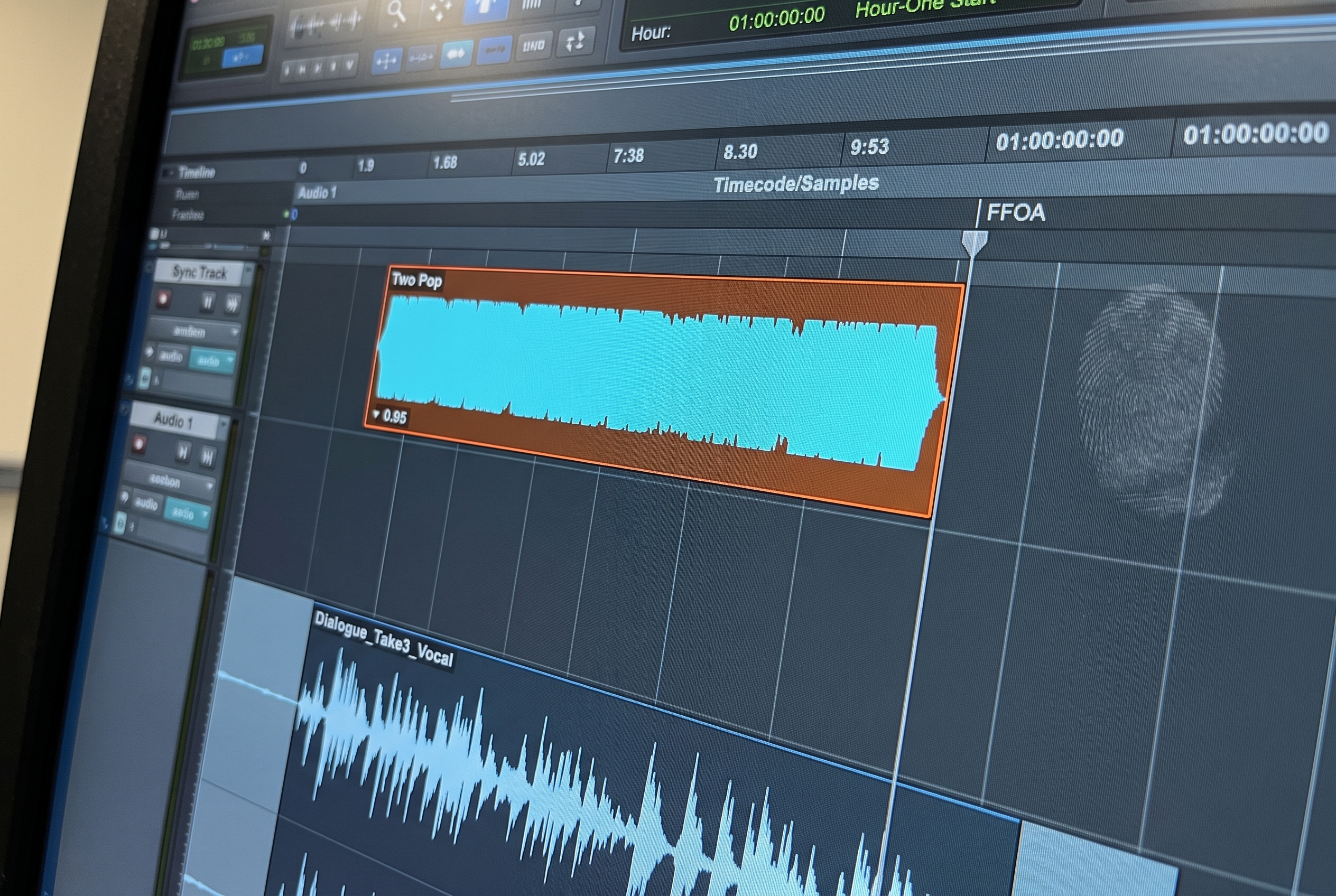
Episodic audio post lives or dies on conform discipline. A series with ten episodes and three conform rounds per episode is thirty conform passes the audio team runs against thirty sessions before final delivery, and each pass has to leave the dialogue edits, sound design, and mix decisions intact. The mechanic that handles this at most episodic facilities is EdiLoad. It covers EDL compare and reconform, WAV assembly, scene remap, and WAV relink as a unified workflow alongside Pro Tools, and the four pillars together act as the spine of the conform phase. Like every reconform tool, EdiLoad works against the session it is given; what the AAF import step produced at the start of the project shapes every conform pass that follows. This guide walks through what EdiLoad does across its four pillars, what each pillar depends on in the session, and how the build step upstream sets the conditions the conform side relies on.
What EdiLoad Is and the Four Pillars
EdiLoad is a Pro Tools companion tool from Sounds In Sync. It is not a single-purpose reconform engine. It is a workflow tool with four pillars that map to the operations episodic audio post runs repeatedly across a project's lifecycle.
| Pillar | What it does | When it runs |
|---|---|---|
| EDL compare and reconform | Reads the EDL from picture editorial against the existing Pro Tools session and applies the delta | After every picture change |
| WAV assembly | Builds Pro Tools sessions from production sound rolls when the project starts from the field rather than from an AAF | At the start of dialogue prep |
| Scene remap | Updates scene identifiers across the session when picture editorial renumbers scenes mid-project | When scenes are renumbered |
| WAV relink | Rebuilds source file references when production audio moves on disk or arrives from a new location | When source files relocate |
Each pillar runs independently, and most projects use a mix of them depending on how the conform rounds land. A series with stable production sound and frequent picture changes leans on EDL compare and reconform. A series with scene renumbering or location moves leans on scene remap and WAV relink. The four pillars cover the failure modes episodic delivery produces, which is why facilities running episodic pipelines treat EdiLoad as core rather than as occasional infrastructure.
Many facilities license EdiLoad per project rather than as a permanent seat, which fits the cadence: EdiLoad runs hard during the conform-intensive phase of a series and sits idle between projects.
Pillar 1: EDL Compare and Reconform
EDL compare is the reconform mechanic at the heart of EdiLoad. The picture editorial side produces an EDL (edit decision list) that describes the new cut. EdiLoad reads the EDL against the existing Pro Tools session, computes where edits moved, what was added, and what was removed, and applies those shifts to the audio session. The mechanic is comparable in purpose to Matchbox's clip-by-clip Smart Conform: clips move to match the new timing, automation moves with them, and the dialogue edits, sound design, and mix decisions carry through.
The distinguishing property of EDL compare is that the reference is the EDL itself rather than two video files or two AAFs. For episodic projects, that matters because the EDL is the canonical handoff between picture and sound on every conform round. The EDL describes the cut precisely, and EdiLoad's reconform mechanic is built around that description.
The clip-by-clip operation depends on the audio session having the same timeline structure the EDL describes. A session whose original build preserved the AAF's timeline (source timecode, sequence-level positions, the structural metadata from picture editorial) reconforms predictably. A session whose timeline drifted at build, with clips placed using time compression or position-relative adjustments, produces conforms that the EDL cannot cleanly resolve.
Pillar 2: WAV Assembly
WAV assembly handles projects that start from production sound rolls rather than from a picture-editorial AAF. The field recordist delivers daily WAV files with BWF metadata (scene, take, timecode, channel labels), and EdiLoad builds Pro Tools sessions from those WAVs directly, organizing the material against the project's track structure.
For projects where the dialogue editor receives the rolls and is expected to assemble the session before picture editorial provides an AAF, this is the assembly mechanic. It uses the BWF metadata on the WAV files to place each clip on the right track, label it correctly, and preserve the production sound context the dialogue editor needs to choose between takes and identify the booms versus the lavs.
WAV assembly assumes the BWF metadata on the production WAVs is intact and consistent across rolls. When the metadata is clean, the assembly is mechanical and predictable. When the metadata varies between rolls (different label conventions, missing scene identifiers, inconsistent timecode), the assembly carries those inconsistencies into the session, and the dialogue editor resolves them during prep rather than during conform.
Pillar 3: Scene Remap
Picture editorial occasionally renumbers scenes mid-project. What was scene 12 becomes scene 8 because two scenes merged, or scene 14A becomes scene 15 because the cut order changed. The audio session built against the original scene numbers now references identifiers that no longer match the picture department's working numbers.
Scene remap rewrites the scene identifiers across the session to match the new numbering. EdiLoad reads the old and new scene mapping, finds every clip referencing the old identifiers, and updates them to the new ones. Region names, clip metadata, and any session-level scene references move to the new convention as a single operation.
This pillar matters less on commercial work and feature post, where scene identifiers tend to stay stable. It matters significantly on episodic series where the cut evolves over months and the picture department's working numbers shift more than once. A session that absorbed several scene remaps cleanly stays usable through the rest of the project; a session that did not gets harder to navigate at every subsequent conform.
Pillar 4: WAV Relink
Source audio files move. Production drives change hands. The roll backups end up on a facility server with a different path. The session built against the original paths still works as long as the relink mechanic can find the files in their new location.
WAV relink rebuilds the source file references across the session when the underlying audio relocates. EdiLoad reads the session's reference map and reconciles it against the new file locations, restoring the link between each clip and its source WAV without forcing the dialogue editor to manually relink file by file.
The relink mechanic depends on the original session having referenced its source files cleanly: consistent file naming, clean BWF metadata, and a session-level manifest EdiLoad can read against the new file locations. A session whose source references were ad-hoc at build (manually re-linked clips during the original assembly, inconsistent file names across rolls) carries that messiness into every relink pass.
What EdiLoad Depends On in the Session
EdiLoad's four pillars rely on three properties of the session and its underlying file structure. These conditions are set at the build step, not at conform.
- EDL parity with the original timeline. The EDL describes a cut that the audio session should be able to match. The reconform mechanic depends on the session's timeline structure being a faithful representation of what picture editorial originally delivered.
- Consistent WAV referencing. Each clip in the session needs to know which source WAV backs it, and the source WAV needs to carry the BWF metadata (scene, take, channels) the WAV assembly, scene remap, and relink pillars rely on.
- Scene metadata where available. Scene remap and WAV assembly both depend on scene identifiers traveling through the build. Where the source NLE preserved scene and take values, they need to land in the session in a form EdiLoad can read.
These conditions are not EdiLoad's responsibility to create. The conform side moves what it finds; the build side decides what is there to be found.
fPost at the Build Step
fPost handles the AAF import step that produces the session EdiLoad will later reconform, remap, and relink. AI-R classifies each clip as dialogue, SFX, or music. The session is mapped to the facility template: tracks named, routing in place, color coding applied. Source timecode and Import Session Data are preserved, which is the structure EdiLoad's EDL compare reads against. The original AAF is saved alongside the organized session as a safety copy, which keeps the original source manifest intact for the relink pillar when files move later.
What this produces for EdiLoad is a session whose three input conditions hold by construction. EDL parity is maintained because the AAF's timeline survives the build. WAV references are consistent because fPost preserves Import Session Data, which carries each clip's source manifest. Scene metadata, where the source NLE provided it, lands in the session for the scene remap pillar to use.
With the Suite tier, fPost also flags clips with incomplete or anomalous metadata at the build step. The dialogue editor or assistant resolves those flags during initial prep, before EdiLoad needs to read them at the first conform.
The broader sequence sits inside the audio post production workflow, and the AAF prep step specifically is covered in the AAF workflow guide.
The Handoff Sequence in Practice
An episodic facility runs the handoff between fPost and EdiLoad as a defined sequence across the project's lifecycle:
- The AAF (or the production sound rolls) arrive at the start of the episode.
- fPost imports the AAF, applies AI-R classification, maps the session to the facility template, and flags clips with incomplete metadata. For roll-based projects, WAV assembly runs through EdiLoad against the cleanly-named WAVs.
- The dialogue editor or assistant resolves flagged clips during initial prep.
- Dialogue edit, sound design, and mix run inside the session.
- Picture editorial sends a new cut and an EDL. EdiLoad's EDL compare and reconform pillar reads the EDL against the session and applies the delta.
- If scenes were renumbered, the scene remap pillar updates identifiers across the session as a single operation.
- If source files moved, WAV relink rebuilds the reference map without forcing manual file-by-file relinking.
- The mixer reviews the conformed session, addresses creative decisions the new cut raises, and continues.
The integration between fPost and EdiLoad is operational. fPost produces sessions with the metadata and structural properties EdiLoad's four pillars expect, and EdiLoad runs against those sessions without translation work.
When EdiLoad Is the Right Call
EdiLoad fits projects where the conform side carries more than timing changes: episodic series, multi-roll production sound, scene renumbering, and projects where source files relocate during post. The four pillars (EDL compare and reconform, WAV assembly, scene remap, WAV relink) cover the conform-adjacent operations episodic delivery produces, and treating the tool as the conform spine rather than as a reconform engine matches how it is built.
For projects that live inside Pro Tools and where the conform pattern is mostly timing changes against an existing session, Matchbox covers that scope inside Pro Tools natively with the Smart Conform clip-by-clip mechanic. Many facilities use both, picking the one that fits each project. Both work better on a cleanly-built session, which is the property fPost provides at the build step.
Frequently Asked Questions
What is EdiLoad in Pro Tools?
EdiLoad is a Pro Tools companion tool from Sounds In Sync that covers EDL compare and reconform, WAV assembly, scene remap, and WAV relink as a unified workflow. It is used heavily by episodic post facilities for the conform-intensive phase of multi-episode delivery cycles.
How is EdiLoad different from Matchbox?
Matchbox is a clip-by-clip reconform engine integrated into Pro Tools, scoped to timing changes against an existing session. EdiLoad covers a broader workflow with four pillars, including WAV assembly from production sound rolls, scene remap when picture editorial renumbers scenes, and WAV relink when source files move. The two tools handle different scopes within the same conform phase.
What does EdiLoad need in the original session to work cleanly?
Three conditions: EDL parity with the original timeline (the session's structure matches what picture editorial originally delivered), consistent WAV referencing (clips and source files connect through clean BWF metadata), and scene metadata where the source NLE provided it. Sessions that meet these conditions support all four EdiLoad pillars.
Do many facilities use EdiLoad full-time?
Some do, especially episodic facilities running multiple series concurrently. Many license per-project instead, treating EdiLoad as conform-phase infrastructure that runs hard during the conform-intensive window and sits idle between projects.
Does fPost integrate with EdiLoad technically?
Not at the API level. fPost produces Pro Tools sessions; EdiLoad reconforms, remaps, and relinks Pro Tools sessions. The compatibility is operational: fPost preserves the timeline, WAV references, and scene metadata each EdiLoad pillar needs.
Where does EdiLoad sit in the broader pipeline?
EdiLoad runs at Phase 3 of a four-phase pipeline: session build (fPost), creative work (Pro Tools), reconform and conform-adjacent operations (EdiLoad or Matchbox), and stem export (fMusic). Each phase has its own input requirements; the discipline at each handoff is what keeps the pipeline flowing.
EdiLoad covers the conform phase across the four operations episodic post repeats throughout a project's lifecycle. fPost covers the build step that gives EdiLoad a session worth reconforming, remapping, and relinking. Demo at forte-ai.com/demo.