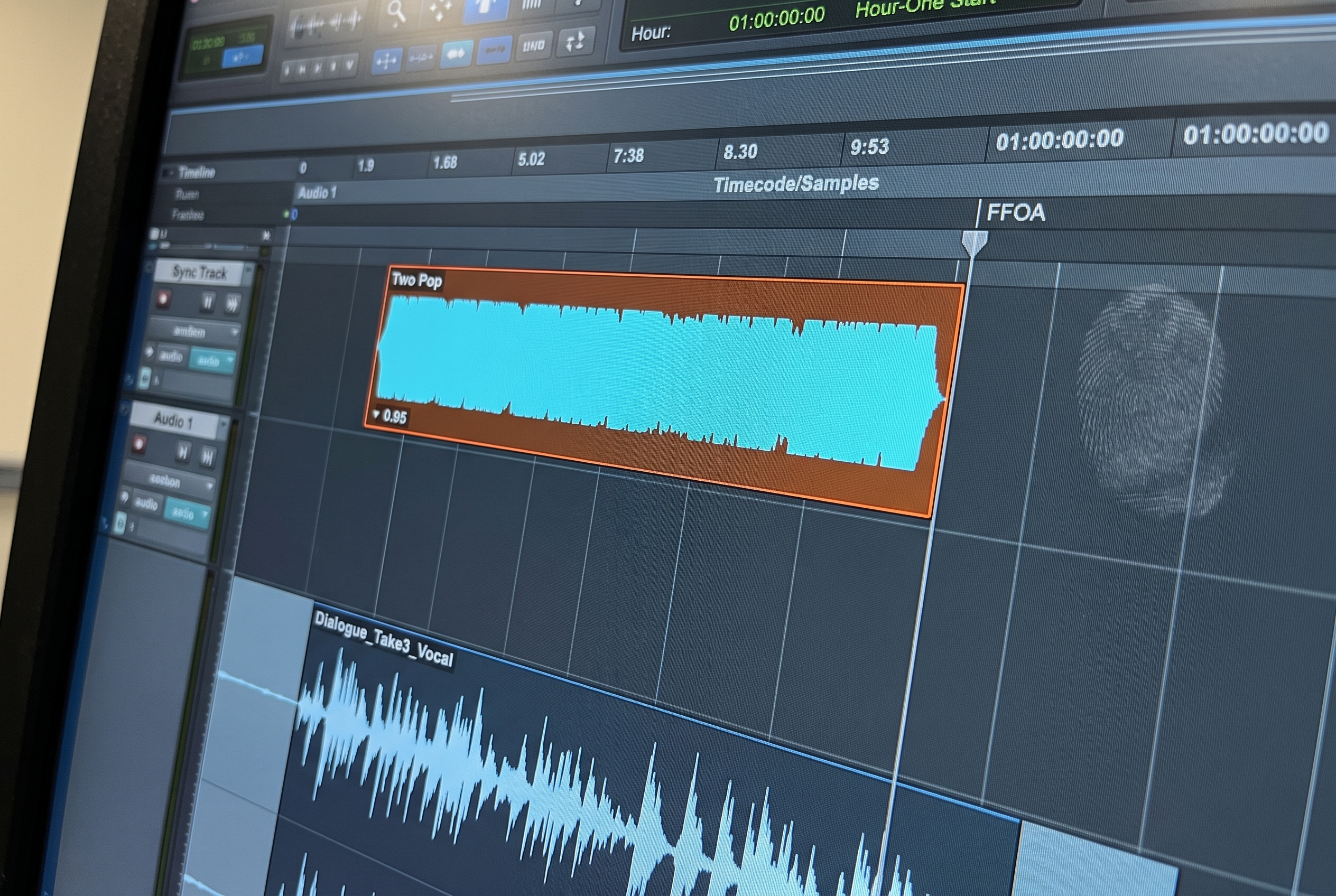
⚡ Quick summary. AAF prep in Pro Tools costs two to three hours per session, approaching half a day on complex projects, and the cost falls entirely on the engineer before any creative work begins. fPost automates that layer. Its on device AI-R engine classifies audio at the clip level as dialogue, music or sound effects, template matching maps that content into the facility template already open in Pro Tools, dual mono detection fixes Premiere's split stereo export pattern, and a copy of the original AAF is always preserved alongside the reorganized session. Generally available on macOS 13 or later with Pro Tools 2024.3 or later. Studio is EUR 399 a year or 149 a quarter. The free AAF Checker is a separate app that runs the same pre-import validation.
AAF prep in Pro Tools costs the audio post engineer two to three hours per session, approaching half a day on complex projects. That number is consistent across the customer discovery work Forte AI has run with dialogue editors, assistants, re-recording mixers, and facility owners in London, New York, Los Angeles, and Washington D.C. It is invisible to the client. It falls on the engineer before any creative work starts. And it gets absorbed without showing up on any line item.
This article walks through what AAF prep involves, where the time leaks, and how fPost (Forte AI's automation product for audio post professionals) closes the gap between a technically valid AAF and a session that is ready for the mix. If you are reading this because the prep layer is eating your week, the short answer is: the work itself does not have to be done by hand.
Where AAF Prep Fits in the Audio Post Production Workflow
Most workflow guides describe audio post as a sequence of creative phases: spotting, session setup, dialogue editing, Foley, ADR, sound effects, sound design, music, mix and master, finalize. Those phases are well covered elsewhere. The piece they tend to skip over is the gating step that sits in front of the first creative decision: the prep that determines whether the session is ready to be worked on at all.
| Phase | What it involves | Where AAF prep sits |
|---|---|---|
| 0. Picture handoff and AAF prep | AAF import, content classification, track naming, routing, folder structure, template alignment, stereo and mono correction, safety backup | This is the layer this article focuses on |
| 1. Spotting session | Creative team agrees on sound treatment, scenes, ADR needs | Can only happen once the session is readable |
| 2. Dialogue editing | Cleaning spoken performances, noise reduction, edit smoothing | Blocked by inconsistent dialogue routing in a messy AAF |
| 3. Foley and ADR | Live Foley recording, dialogue replacement | Folder and routing structure has to be right before sessions are usable |
| 4. Sound effects and sound design | Sourcing and placing SFX, designed elements, ambiences | Depends on a clean session organized by content type |
| 5. Music scoring and supervision | Original composition or licensed cues, music editing | Music stems need their own routing layer in the template |
| 6. Mix and master | Final balance, bus processing, deliverables | The re-recording mixer cannot open and start working on a session that does not match the facility template |
| 7. Finalize and deliver | QC, print, stem export, format checks | Print routing has to exist before the bounce phase |
The phases from 1 to 7 are where the creative work happens. Phase 0 is where the time leaks. Inside Phase 0, AAF prep is the specific case where picture editorial hands off an AAF and the audio post team has to translate it into something workable.
Why AAF Prep Takes So Long
The AAF format itself is technically capable. It carries audio, video references, metadata, timecode, volume automation, track names, and external media references. Avid's official OMF / AAF Import and Export documentation is the canonical reference on what the format is supposed to carry. In principle it is a clean handoff to Pro Tools. In practice, a technically valid AAF and a session that is ready for mixing are not the same thing.
Here is what has to happen between AAF imported and session ready:
- Import the AAF. Pro Tools loads one AAF at a time. For commercial work with ten to fifteen deliverables arriving minutes before the session, that alone is a bottleneck.
- Assess what arrived. Listen through, read clip names, understand what the picture editor was thinking. This is not always obvious. Editorial structure is organized around cut decisions, not audio function.
- Sort content at clip level. This is where most of the time goes. Tracks are not the unit of organization. Clips are. Dialogue lives on SFX tracks. Music beds are scattered. The picture editor had no reason to organize by audio type.
- Identify content type per clip. Dialogue, SFX, MX, BG. None of this is labeled. A clip called Audio 1 could be anything.
- Rename tracks. You can only rename a track once you understand what is on it. This comes after sorting, not before.
- Resolve stereo and mono. Stereo files exported from Adobe Premiere arrive as split mono pairs, with patterns like Audio 1 (mono) alongside Audio 1.L and Audio 1.R on separate tracks. This behavior is documented in Vassar College's Premiere AAF export guide and is the single most common source of stereo cleanup work in audio post.
- Apply the facility template. This is the hardest step. The template is not just a starting point. It is the operating system of the facility. Every routing path, folder structure, color code, and I/O assignment has meaning. Importing a flat list of tracks and mapping it into that template requires judgment about content type, not just execution.
- Verify routing. Every path, every send, every bus assignment.
- Preserve a safety copy of the original. The question "what did editorial actually send?" needs to be answerable later.
Across the engineers Forte AI consulted during product discovery, in London, New York, Los Angeles, and Washington D.C., the time cost was consistent: two to three hours per session, approaching half a day on complex projects. The Pro Tools Expert panel of audio post professionals discussing AAFs from video editors covers the same ground from the industry side: the format works, the handoff is consistent in its inconsistency, and the cost lands on whoever opens the session next.
The Problems That Compound It
The Premiere Problem
Adobe Premiere has a specific AAF export behavior that creates disproportionate prep work. When Premiere exports stereo content, it splits it into mono pairs. The result is a combination like Audio 1 (mono) and Audio 1.L / Audio 1.R for the stereo portions on the same named track.
The result inside Pro Tools is a checkerboard of mono and split-stereo clips that are nearly impossible to sort by track name alone. You have to detect which pairs belong together, determine whether they represent true stereo or dual-mono, then convert and rebuild each one manually before you can route anything correctly. Engineers working with Premiere-sourced AAFs hit this on most jobs.
The Template Problem
Facility templates are not preferences. They are infrastructure. A template defines how dialogue, SFX, music, ADR, Foley, BG, and PFX flow through a session: which folder tracks contain which content, which busses carry each signal, what the I/O looks like, how stems are routed. An engineer who knows the template can move quickly because the routing is always the same.
When an AAF arrives with flat, generically named tracks, rebuilding that structure takes judgment. You cannot automate "move this clip to the DX track" without first knowing the clip contains dialogue. That classification problem is where AAF prep costs the most time, and where manual scripting and DIY automation tend to fail.
🎯 The bar for AAF automation is not "mostly right." It is right. The cost of verifying and correcting an automated tool's mistake on a complex session can match or exceed the cost of doing the work by hand. Trust is the central problem. Any tool that does not understand the facility template, and that does not preserve an untouched copy of the original, is not solving the prep problem.
The Multi-AAF Problem
Commercial audio post often means many AAFs arriving simultaneously. A producer in commercial work can receive ten to fifteen deliverables ten minutes before the session starts. Each has its own QuickTime reference, its own timecode convention (two-pop, slate, first frame of action, often mixed within the same batch), and its own deliverable length: 60s, 30s, 15s, 6s.
Pro Tools loads one AAF at a time. The core issue for commercial work is not just sorting. It is alignment. Each spot has to land at a precise position on the timeline, not just sequentially. That is a fundamentally different operation, and it is what makes commercial AAF intake a near-impossible thing to keep clean by hand.
Who Absorbs the Cost: Roles in the AAF Prep Loop
The time cost does not land evenly. Different roles in the audio post chain absorb it differently, and the prep work most often falls on whoever is closest to the front of the chain with the least leverage to push back.
| Role | Where they sit in the workflow | How AAF prep hits them |
|---|---|---|
| Supervising sound editor | Owns the creative direction of the post sound team | Loses team capacity to non-creative prep across every incoming AAF |
| Dialogue editor | Cleans and prepares dialogue tracks for the mix | Cannot start editing until dialogue routing is consistent and named correctly |
| Sound effects editor | Sources, places, and trims SFX into the session | Needs folder logic to know what is dialogue, what is FX, and what is music |
| Re-recording mixer | Mixes the final deliverable across dialogue, music, and SFX | Every minute spent rebuilding routing is a minute not spent mixing |
| Assistant or junior editor | Often runs prep so editors and mixers can start clean | Where most of the manual hours land in larger facilities |
| Freelance one-person operator | Owns every phase, often from a home studio | Cannot delegate prep, so the full time cost lands on the same person doing the creative work |
In larger facilities the prep cascades down. For freelance re-recording mixers and dialogue editors operating without an assistant, there is no one to delegate to. That asymmetry is part of why the cost stays invisible: the people doing the prep are often the same people doing the creative work, and they absorb it without flagging it as a separate line item.
What Session Ready Actually Means
A session that is ready for creative work is not just technically playable. The bar is higher.
- Content is sorted at the clip and region level, not just by track
- Track names reflect content type and function, not editorial history
- Routing matches the facility template: folders, colors, I/O, sends
- Stereo and mono are correctly resolved throughout
- A safety copy of the original AAF is preserved and accessible
- Timecode and metadata are validated
Getting from AAF imported to that state is the prep problem. It is not a minor nuisance. It is a consistent, invisible tax on every project that falls entirely on the engineer before creative work begins.
How fPost Automates AAF Prep
fPost approaches the problem differently from tools that parse tracks. Instead of reading track names and clip positions from the AAF, fPost classifies audio at the signal level.
AI-R, the on device recognition engine, listens to what is actually in each clip and identifies it as dialogue, music or sound effects. Classification happens before any reorganization, which means fPost does not need reliable track names or metadata to sort correctly.
Once content is classified, template matching reads the facility template already open in Pro Tools and maps incoming clips to the appropriate tracks based on the audio they contain, not based on what they were named. The template you have already built, with your routing, your folder structure, and your I/O, is what fPost uses to place content.
The workflow:
- Open the Pro Tools template session.
- Point fPost at the AAF.
- fPost analyzes content, applies classification, and reorganizes the session.
- Dual mono detection and conversion handles the Premiere split stereo case.
- A copy of the original AAF is preserved alongside the reorganized version.
- Import Session Data is retained, so the timeline, automation and timecode stay intact.
The output meets the session-ready bar above (content sorted at clip level, template applied, stereo resolved, original preserved) in minutes instead of hours.
fPost Capability Map
Each capability below maps one to one against the manual workflow steps above. The full feature list sits on the fPost product page.
| fPost capability | What it does | What it replaces in the manual workflow |
|---|---|---|
| AAF and PTX analysis | Reads an incoming AAF or an existing PTX session, applies classification and template | Hours of manual cleanup per project |
| AI-R content classification | Classifies each clip from its audio content as dialogue, music or sound effects | Listening through and sorting clip by clip |
| Template matching | Maps classified content into the facility template chosen in import settings | Rebuilding routing for every incoming session |
| Dual mono detection and conversion | Detects split stereo exports, common from Premiere, and converts them to interleaved stereo | Auditioning each suspect pair by hand |
| Automatic AAF backup | Preserves the original AAF alongside the reorganized session | Save as discipline and hoping nothing destructive happened |
| Session splitting by category | Separates one AAF into dialogue, music and effects sessions. Suite only | Rebuilding three sessions from one delivery by hand |
| Pre-import inspection | Surfaces video rate, timecode format, sample rate, media status and clip metadata before you hit a problem mid-session | Discovering corrupt or mismatched AAFs late, mid-mix |
| Import Session Data preservation | Keeps timeline position, automation and timecode intact through reorganization | Reconstructing automation and timeline anchors after manual cleanup |
| Works completely offline | Runs locally, no internet, no dongles, media never leaves the workstation | Cloud-dependent tools that fail in air-gapped environments |
Manual AAF Prep vs fPost-Automated Prep
The steps below are universal in the sense that every AAF needs them. The way you apply them is a choice.
| AAF prep step | Manual workflow | Automated with fPost |
|---|---|---|
| Content classification | Listen through every clip, decide DX / MX / SFX, sort by hand | AI-R classifies each clip from its audio content |
| Track naming | Rename Audio 1, Audio 2, Track 3 to the facility convention | Naming applied from the template the facility already uses |
| Template alignment | Manually map content into the facility template, track by track | Template matching maps content into the existing template automatically |
| Stereo and mono correction | Audition each suspect file, collapse dual-mono manually, watch for Premiere artefacts | Dual mono detected and converted on import |
| Preserving the original | Save-as before touching anything, hope nothing destructive happens | A copy of the original AAF kept alongside the reorganized session |
| Catching corrupt AAFs early | Discover the issue mid-session and reverse course | Pre-import inspection surfaces video rate, timecode format, sample rate and metadata completeness up front |
The point is not that automation replaces the editor. It replaces the work the editor should never have been doing in the first place. The creative and editorial decisions stay with the people whose expertise shapes the deliverable.
The Time and Cost of Manual Prep vs fPost
The gap is not a few saved clicks. Manual AAF prep runs two to three hours per session across facilities, and the time is invisible: the client never sees it, it is not on the invoice, and it falls entirely on the engineer before any creative work starts. fPost runs the same prep, validation, content classification, template mapping, stereo repair, and safety copy, and brings the per-session cost down to minutes.
The four stages that account for almost all of it are validating the file, classifying and sorting the content, applying the template, and fixing split stereo. Manually that is two to three hours of work and up to half a day on complex material. Run as one automated pass it is minutes, and the comparison step by step is in the table above.
The cost compounds with volume. At a normal run of sessions per week, the recovered prep time adds up to a meaningful share of a working week returned to billable, creative work rather than setup.
What Carries Over and What Does Not Change
fPost keeps what matters: timeline position, timecode, automations, and the structure of the existing Pro Tools session. The template tracks remain intact. Content is placed inside them.
It does not make creative decisions. fPost is not deciding how a scene should be mixed. It handles the administrative layer (the translation work between picture editorial's structure and audio post's structure) so that when the engineer opens the session, they are already at the starting line.
Who fPost Is Built For
The discovery process that shaped fPost involved mixers and editors across a broad range of contexts. The consistent thread was not facility size, it was the gap between when an AAF arrives and when creative work can begin.
The engineers who need fPost most are:
- Freelance re-recording mixers and dialogue editors working without assistants, where the full prep burden falls on the person who should be mixing.
- Independent post facilities with small teams handling high-volume work, where prep time compounds across multiple sessions per day.
- Commercial facilities with high-turnover deliverables, multiple AAFs per session, tight delivery windows, and standardized templates across rooms.
- In-house production teams where a single audio person handles everything from intake to delivery and conforming costs grow with each new cut.
fPost runs on macOS 13 or later with Pro Tools 2024.3 or later, from a single installer that covers both Apple Silicon and Intel Macs. It works completely offline. No dongles, no cloud processing, no media leaving the workstation.
Pricing
fPost is generally available and self-serve, with a 7 day free trial that needs no credit card. Separately, the free AAF Checker is a standalone app that runs the same pre-import validation, and it is the fastest way to see what fPost surfaces on a file you actually received.
| Tier | Yearly | Quarterly | Built for |
|---|---|---|---|
| Studio | EUR 399 / year | EUR 149 / quarter | Freelance mixers and sound editors |
| Suite | EUR 599 / year, at EUR 399 until 15 September 2026 | EUR 249 / quarter | Post houses and high-volume editors |
| Enterprise | Custom | Custom | Facilities with custom requirements: multi-room, air-gapped, floating licences |
The AAF Checker is free forever and needs no account. Full breakdown on the pricing page.
Frequently Asked Questions
What is fPost and who is it for?
fPost is software for audio post professionals that automates AAF import prep and PTX session organization in Pro Tools. It is built for re-recording mixers, dialogue editors, and audio post facilities who need to get from raw AAF to workable session without spending hours on manual sorting, template matching, and stereo repair.
What problem does fPost solve?
The gap between a technically valid AAF and a session that is ready for creative work. That gap (sorting clips by content type, applying the facility template, fixing split stereo, resolving track naming) costs two to three hours per session on average, sometimes more. fPost automates that translation layer.
How does fPost work with AAFs in Pro Tools, step by step?
Open the template session in Pro Tools, point fPost at the AAF, or at several AAFs at once with multi AAF import on Suite, and fPost handles the rest. AI-R classifies each clip as dialogue, music or sound effects. Template matching maps the classified clips into the appropriate tracks in your template. Dual mono pairs are detected and converted to stereo. Import Session Data, meaning timecode, automation and timeline, is retained. A copy of the original AAF is preserved automatically.
Does fPost organize by track or by clip?
By clip. This is the core distinction. AAF content is rarely organized by audio type at the track level: a dialogue clip can arrive on an SFX track. fPost reads the audio itself to determine content type, then places each clip in the correct location regardless of what track it arrived on or what it was named.
How does fPost handle the facility template?
fPost reads the template open in Pro Tools and uses it as the target structure. It does not impose its own routing or folder structure. It maps incoming content to the existing setup. Template tracks stay intact; content is placed inside them.
Does fPost keep a backup of the original AAF?
Yes, automatically. The original AAF is preserved alongside the reorganized session, so any decision fPost made can be reviewed, reversed, or rerun against the untouched source. This was the single most consistent ask across customer discovery.
What does the pre-import inspection catch?
Video rate mismatches, timecode format inconsistencies, sample rate problems, media status, and how complete the clip metadata is. The point is to surface the issues that would otherwise be discovered mid-mix.
What does fPost cost?
Studio is EUR 399 a year or 149 a quarter. Suite is EUR 599 a year or 249 a quarter, and until 15 September 2026 it is available at the Studio price of EUR 399 a year. Enterprise pricing is custom. Both tiers include a 7 day free trial with no credit card, and the separate AAF Checker app is free forever.
What are the system requirements?
macOS 13 or later and Pro Tools 2024.3 or later. One installer covers Apple Silicon and Intel. Works fully offline.
What does fPost not do?
fPost does not make creative decisions, and it does not conform. It handles the administrative prep layer: content classification, template mapping, stereo repair, safety copying, multi AAF intake and pre-import inspection. It will tell you whether a clip carries the metadata a conform needs, then hand off to the dedicated tools built for that job. Mixing, editing and all creative decisions remain entirely with the engineer.
Stop Doing AAF Prep By Hand
If you are running an audio post facility, or working as a freelance dialogue editor or re-recording mixer, AAF prep is the layer most worth automating. The fPost product page walks through how content classification, template matching, multi AAF import and pre-import inspection handle the prep layer. Pricing sits on the pricing page. To see fPost run on a session that looks like the sessions you receive in practice, request a demo.